Tagging Plugin
Overview
The Tagging plugin enables authors to assign tags to documents and navigate documents using a tag cloud in Bloomreach Content.
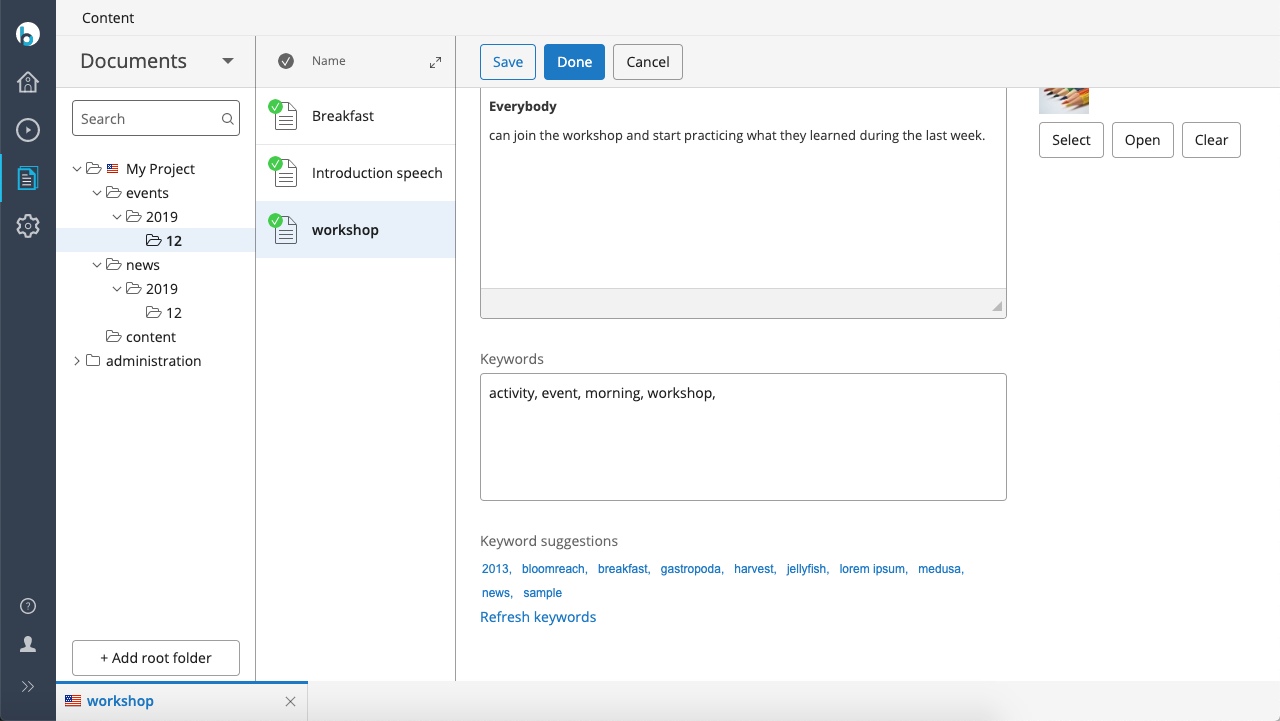
Tagging Plugin in Document Editor
When editing a document, the Tagging plugin adds two fields to the template:
- Keywords: Allows authors to assign tags to the document.
- Keyword suggestions: Provides suggested tags based on existing content.
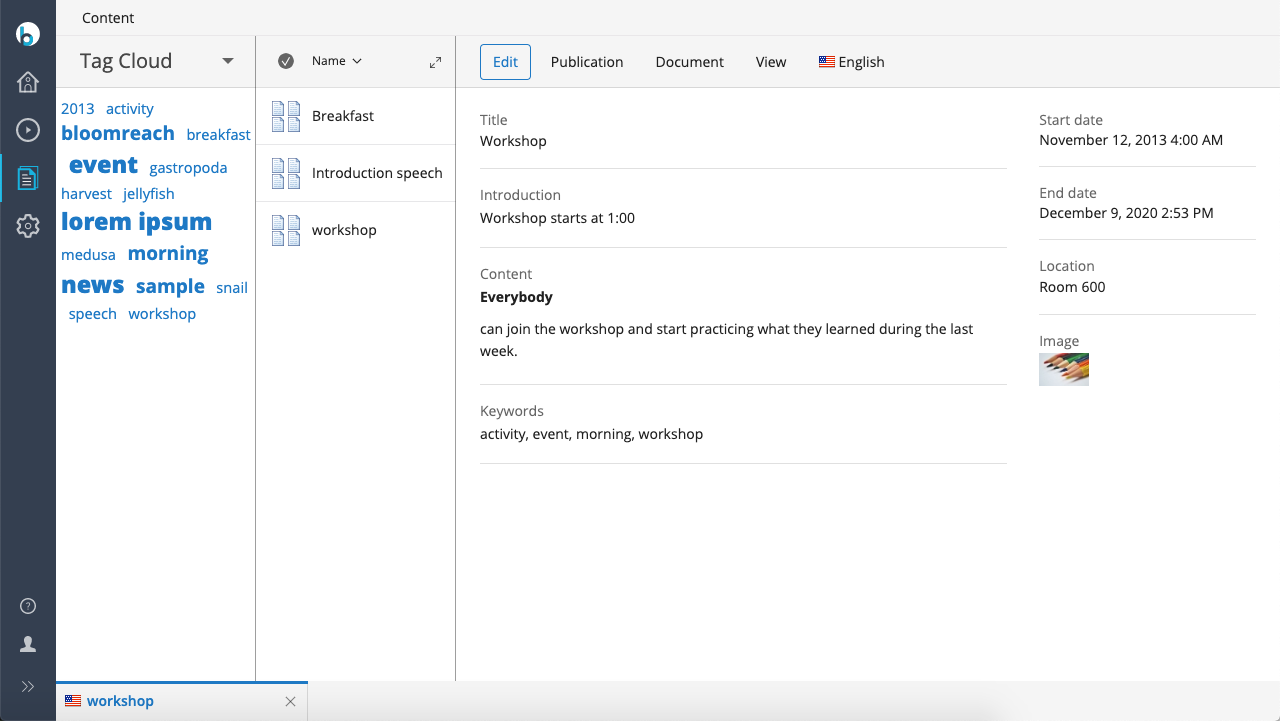
Tag Cloud in Browse View
The tag cloud displays all tags currently used in the repository. Authors can use the tag cloud to filter and browse documents by tag.
Source Code
The Tagging plugin source code is available on GitHub:
https://github.com/bloomreach/brxm/tree/brxm-14.7.3/content-tagging