Selections Plugin
Info: The Selections plugin is included by default in all new projects created with the Maven archetype.
Overview
The Selections plugin provides five field plugins for use in the CMS editor. These plugins allow you to configure selection fields in document types, supporting both static and dynamic option sources.
Available Field Plugins
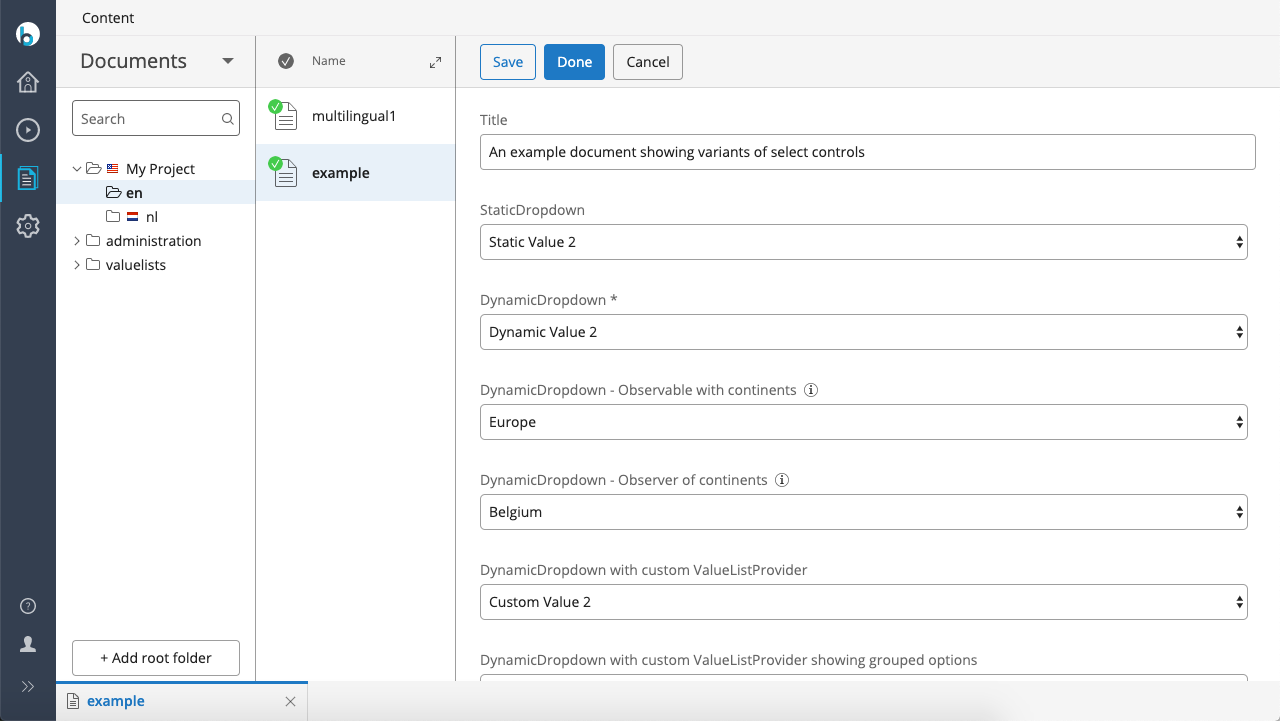
- Static Dropdown: A single-select dropdown with options defined statically in the document type configuration.
- Dynamic Dropdown: A single-select dropdown that retrieves options from a service backed by a value list document in the CMS.
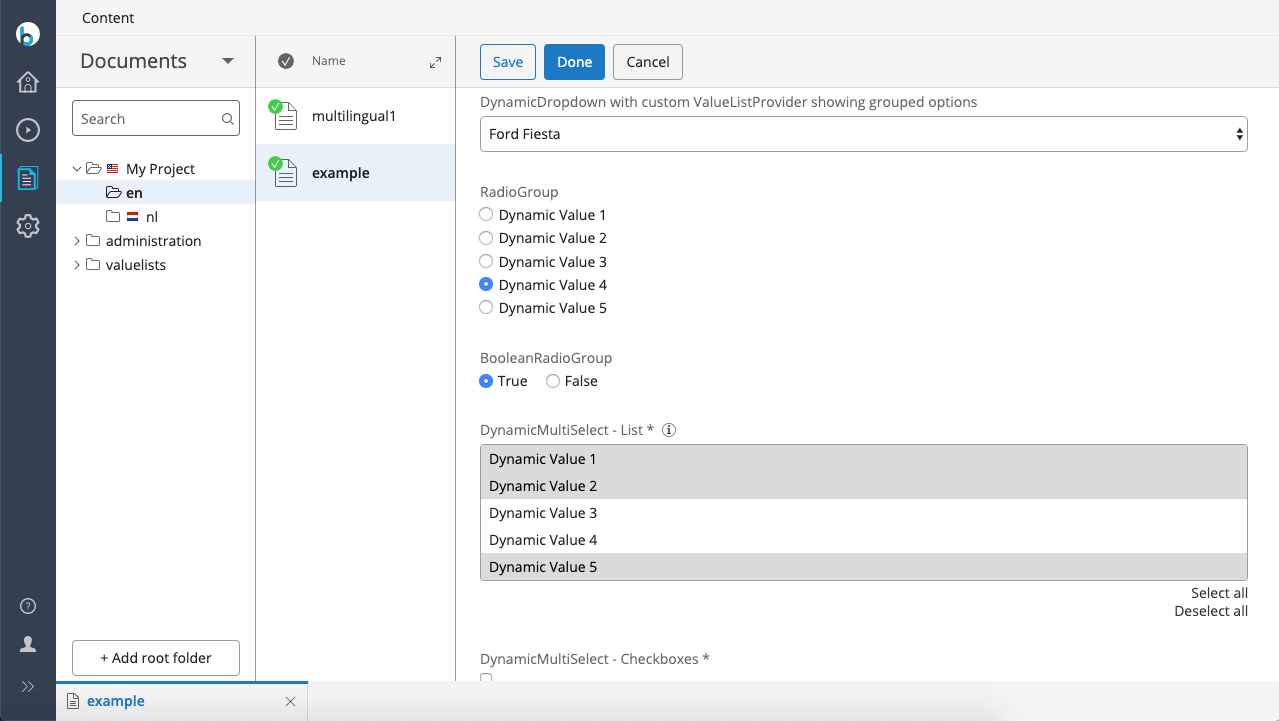
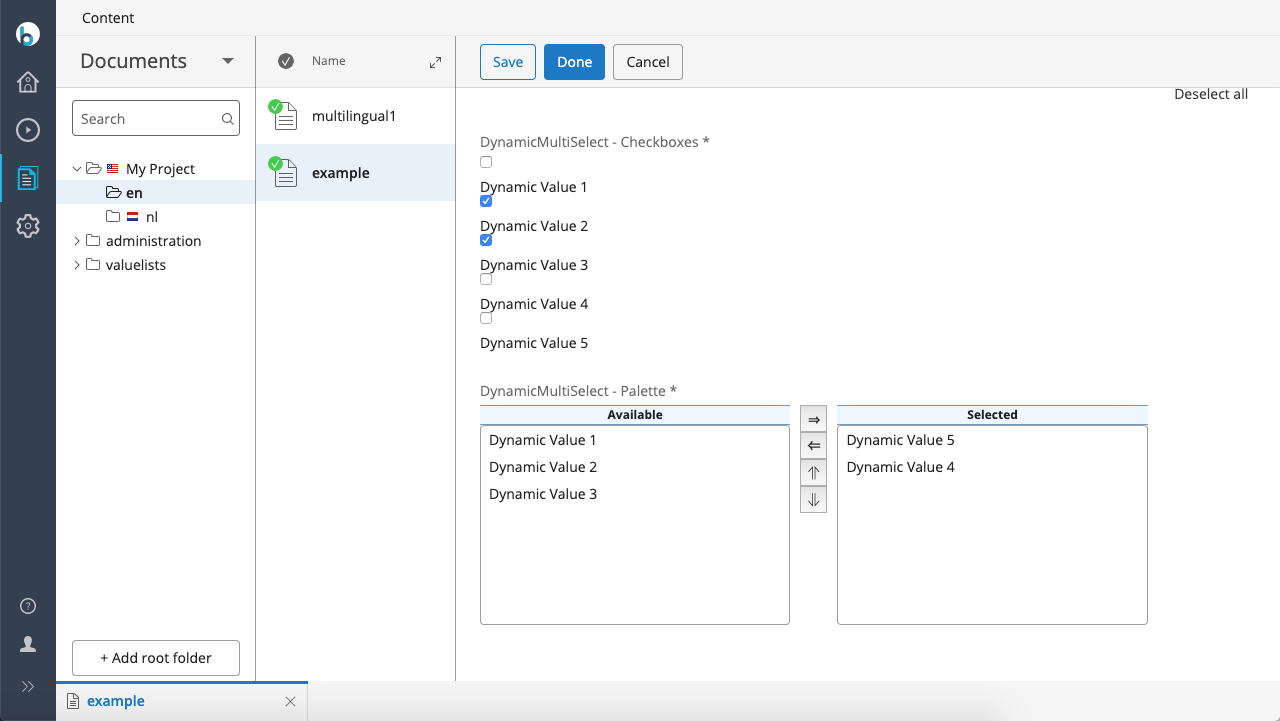
- Dynamic Multiselect: A multi-select list that edits a multi-valued property. Options are sourced from a service backed by a value list document in the CMS. Presentation variants include multi-select lists, checkboxes, and palette (shootbox).
- Radio Group: A single-select radio group that retrieves options from a service backed by a value list document in the CMS.
- Boolean Radio Group: A single-select radio group for editing a boolean property. The labels for 'true' and 'false' can be configured using a value list document in the CMS.
Screenshots
Example Document in the CMS
The following images show an example document from the demo project built with the Essentials demo feature. The document demonstrates the available selection field types:
Value List Document in the CMS
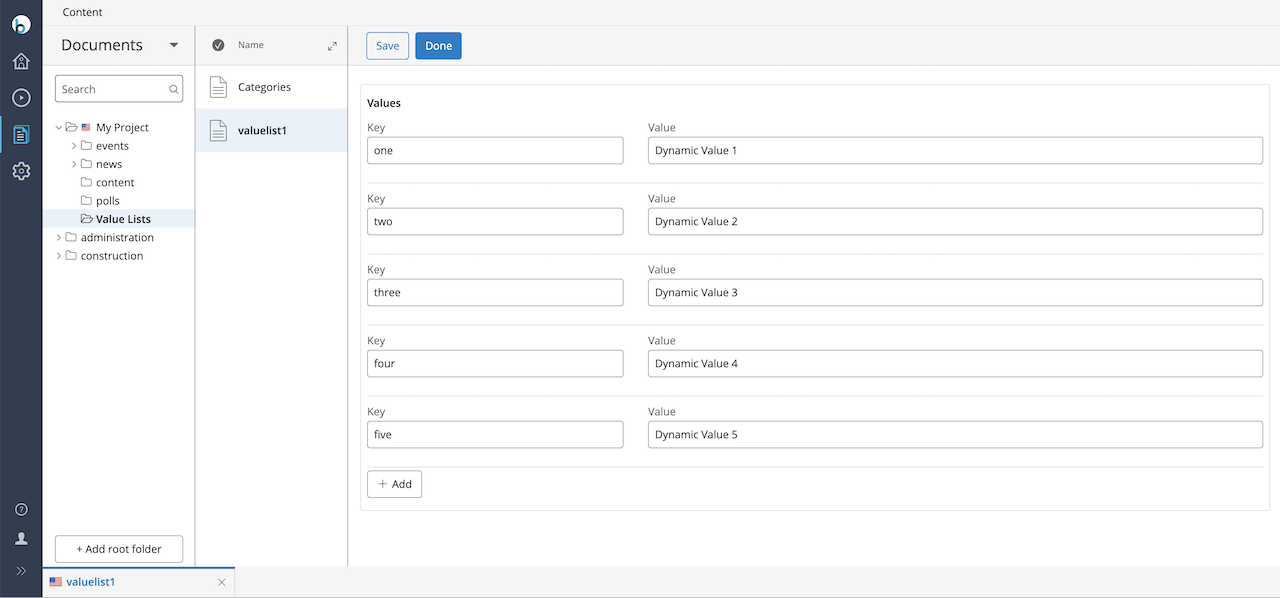
Selection fields typically retrieve their options from a value list document managed in the CMS:
Example Site Output
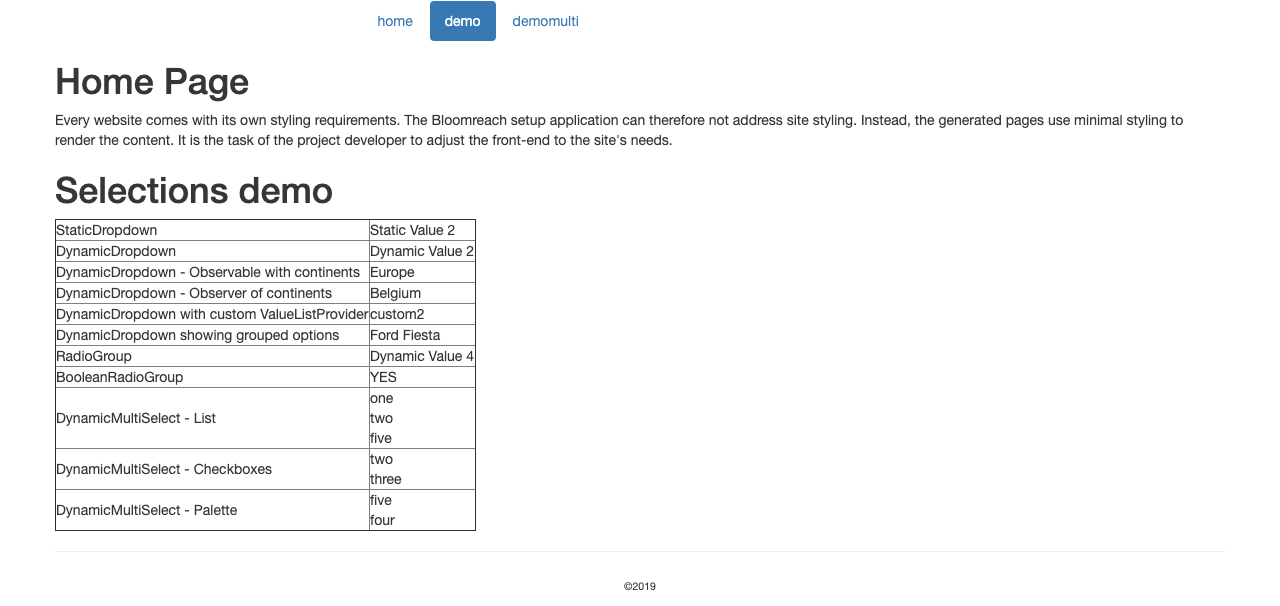
The following image shows the home page from the demo project. The page displays the labels corresponding to the key values in the example document, using the HST ValueListManager:
Source Code and Demo
You can find the source code and demo for the Selections plugin at:
https://github.com/bloomreach/brxm/tree/brxm-15.2.3/selections