Enterprise Forms Catalog Component
Info: The Enterprise Forms Catalog Component requires a standard or premium Bloomreach Content license. Contact Bloomreach for details.
The Enterprise Forms module provides a generic 'Enterprise Form' component in the Channel Editor Catalog. You can add this component to any container on any page. Use the component's configuration window to select which form to render by choosing from available forms with a picker.
The following screenshot shows the 'Enterprise Form' catalog component being added to a container on the homepage in the Enterprise Forms demo project.
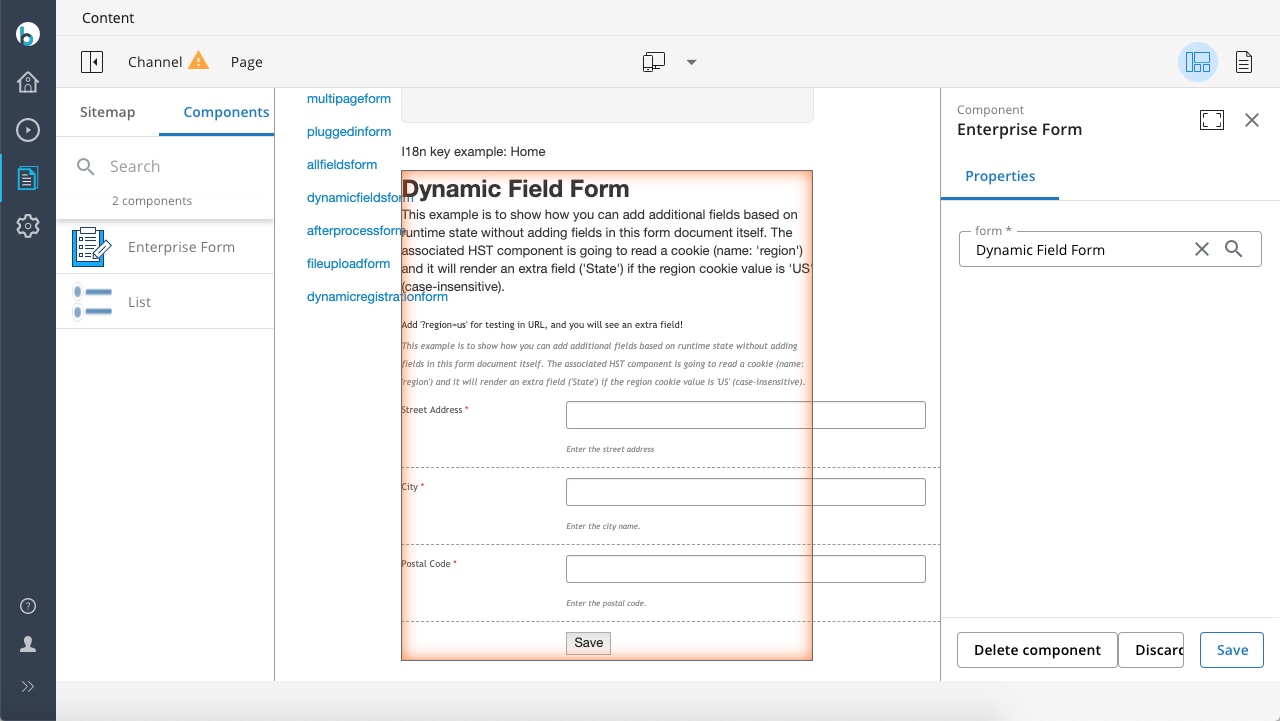
The component uses the class com.onehippo.cms7.eforms.hst.components.AutoDetectFormComponent. This class automatically adds all relevant behaviors by inspecting the selected form document instance in the Channel Editor.
The catalog component's configuration is bootstrapped at:
/hst:hst/hst:configurations/hst:default/hst:catalog/eforms-catalog/form