Store Form Data Behavior
- HST Behavior class:
com.onehippo.cms7.eforms.hst.behaviors.StoreFormDataBehavior - CMS Plugin class:
com.onehippo.cms7.eforms.cms.extensions.StoreFormDataPlugin
Overview
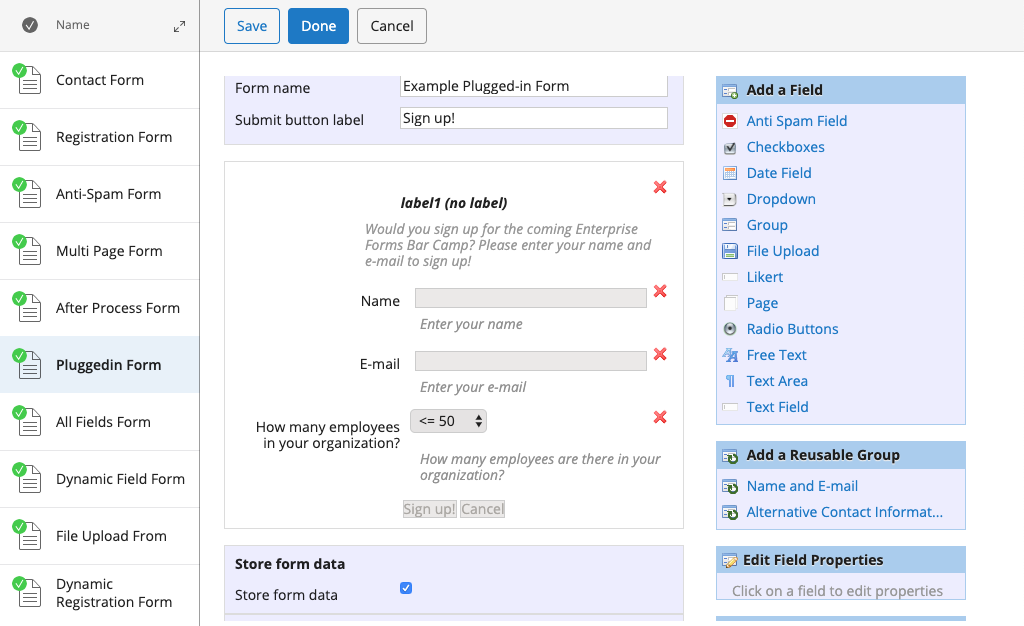
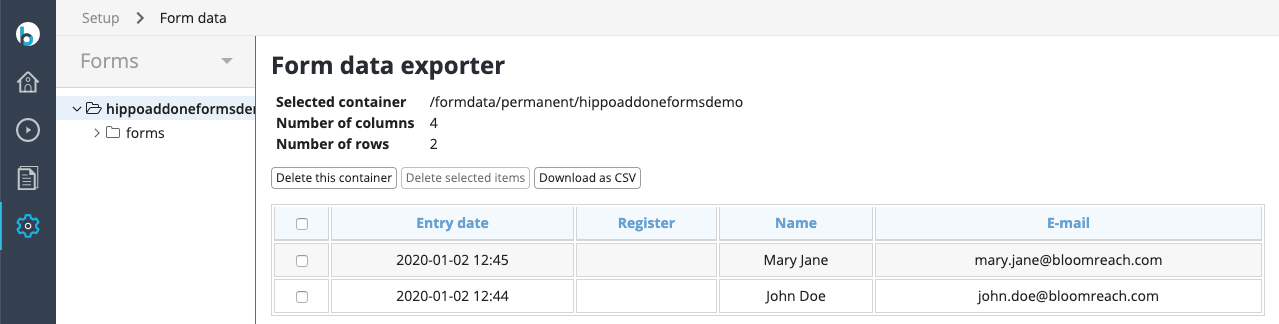
The Store Form Data behavior enables persistent storage of submitted form data in the content repository. CMS users can view and export this data using the Form data application.
The FormStorageComponent class is available to automatically include the StoreFormDataBehavior in your form component.
Info
HST Forms persist form data in the repository only temporarily to support multi-step user interactions. After the interaction completes, this data is "sealed" and typically removed periodically. Use the Store Form Data behavior to store form submissions permanently.
CMS Configuration
To enable the Store Form Data plugin in the form editor, create a node of type frontend:plugin under /hippo:namespaces/eforms/form/editor:templates/_default_. Configure the following properties:
plugin.class = com.onehippo.cms7.eforms.cms.extensions.StoreFormDataPluginmode = ${mode}wicket.id = ${cluster.id}.extensions.itemwicket.model = ${wicket.model}
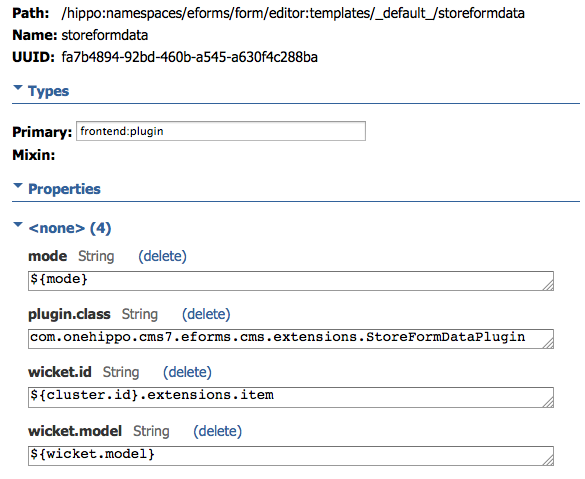
You can add the plugin to the default eforms:form template or to a custom form template as needed.
To allow CMS users to browse and export stored form data, enable the Form Data Application.
HST Configuration
To add the Store Form Data behavior to your form component, set the following parameter in the component configuration:
behaviors=com.onehippo.cms7.eforms.hst.behaviors.StoreFormDataBehavior
Alternatively, use the com.onehippo.cms7.eforms.hst.components.FormStoringEformComponent class, which includes the StoreFormDataBehavior by default.
To use automatically generated field ID properties instead of field names, set the HST component property useFieldId to true.
Demo
The Enterprise Forms demo includes a form configured with the Store Form Data behavior.