Add Workflow Process Management to a Project
Info: Workflow Process Management requires a standard or premium Bloomreach Content license. Contact Bloomreach for licensing details.
Overview
This guide describes how to add the Workflow Process Management feature to a Bloomreach Content project. It covers installation using Essentials and manual configuration for both Cargo-based and Docker-based local development environments. After completing these steps, the CMS application will include the Projects application.
Installation Using Essentials
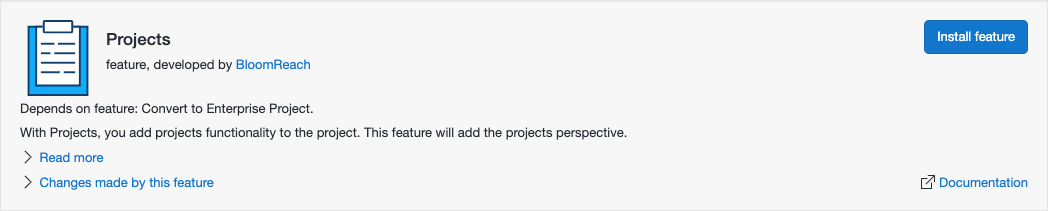
You can install the Projects feature through Essentials:
- When starting a new project, select "Make use of Enterprise features."
- Open the
Librarytab in Essentials. - Locate the Projects feature and click
Install feature.
Essentials applies the manual installation steps described below. After installation, rebuild and restart your project. Then, create an admin user for the /bpm application as described at the end of this page.
Manual Installation
Begin with a Bloomreach Content project created using the Maven archetype. For details, see Set Up a BloomReach Experience Project.
Add Maven Dependencies
Add the following dependencies to your Maven configuration files:
In the top-level pom.xml:
<dependency> <groupId>com.onehippo.cms7</groupId> <artifactId>hippo-enterprise-services</artifactId> <scope>provided</scope> </dependency>
In cms-dependencies/pom.xml:
<dependency> <groupId>com.onehippo.cms7</groupId> <artifactId>hippo-addon-wpm-cms-dependencies</artifactId> <type>pom</type> </dependency>
In site/components/pom.xml:
<dependency> <groupId>com.onehippo.cms7</groupId> <artifactId>hippo-addon-wpm-site-dependencies</artifactId> <type>pom</type> </dependency>
Configure the Cargo Development Environment
In your project's top-level pom.xml, locate the cargo.run profile.
Within the <container> element, add this dependency:
<dependencies> <dependency> <groupId>com.onehippo.cms7</groupId> <artifactId>hippo-enterprise-services</artifactId> <classpath>shared</classpath> </dependency> </dependencies>
In the <systemProperties> child element of <container>, add:
<brx.wpm.external-bpm-engine.disabled>true</brx.wpm.external-bpm-engine.disabled>
Update Distribution Profiles
In src/main/assembly/shared-lib-component.xml, add the following inside the <includes> element:
<include>com.onehippo.cms7:hippo-enterprise-services</include>
Update Log4j2 Configuration
Add these loggers to both conf/log4j2-dev.xml and conf/log4j2-dist.xml:
<Logger name="com.onehippo.cms7.hst.configuration.branch" level="warn"/> <Logger name="com.onehippo.cms7.services.wpm.project" level="warn"/>
Rebuild and Restart the Application
Stop the application if it is running. Rebuild and (re)start the project as described in the Getting Started Trail.
Verify that the CMS application now includes the Projects application.
Assign Roles and Permissions
Log in to the CMS as the admin user. Add all users who need to create, update, or delete projects to the "webmaster" group.