Monitor Workflow Process Management
Info: This feature requires a standard or premium Bloomreach Content license. Contact Bloomreach for details.
Overview
This page explains how to monitor workflow process management in Bloomreach Content. It covers tracking projects, related HST configuration branches, and the external review process.
Logging
To monitor workflow process management events, set the following loggers to the INFO level:
com.onehippo.cms.wpm.hst.configuration.branchcom.onehippo.cms7.services.wpm.project
This configuration enables detailed logging for workflow process management activities.
Project Storage
When you create a new project, the system stores it as a subnode under /hippowpm:hippowpm/hippowpm:projects. Each project node uses a randomly generated 5-character name, for example:
/hippowpm:hippowpm/hippowpm:projects/vGVVI
HST Configuration Branches
Branch Creation
When you add a channel (for example, “Foo”) to a project, the system creates new branches under /hst:hst/hst:configurations. The branch names combine the channel name and the project’s random string, such as Foo-vGVVI and Foo-vGVVI-preview.
Each branch contains a copy of the HST configuration for the channel. Branch nodes include additional properties in the format dxphst:*hash. These properties track differences between the core configuration and the branch.
Example log message for branch creation:
INFO Branch ‘Foo-v1fYd' created.
Branch Update and Reintegrate
You can monitor branch updates and reintegration through server logs. For example:
INFO Successfully reintegrated 'Foo'. Merges : [MergeItem{relativePath='hst:workspace/hst:sitemenus/main/Bar', mergeType=NODE_ADD, overriddenConflict=false, target=PREVIEW}, MergeItem{relativePath='hst:workspace/hst:sitemenus/main/Bar', mergeType=NODE_ADD, overriddenConflict=false, target=LIVE}]
Alternatively, use the browser’s network tab to inspect responses for reintegrate operations. For example, review the response for a reintegrate call:
http://localhost:8080/cms/ws/projects/vobMU/reintegrate/c6861074-ac6a-447e-bb09-ad1401aff130?dryRun=false&override=false
{ "success": false, "message": "Cannot reintegrate 'Alternative Channel' due to conflicts.", "conflicts": [ { "relativePath": "hst:workspace/hst:sitemenus/main/q", "target": "PREVIEW" }, { "relativePath": "hst:workspace/hst:sitemenus/main/q", "target": "LIVE" } ], "merges": null }
Camunda Workflow Monitoring (Versions 14.3 and Earlier)
Note: Camunda is used in brXM 14.3 and earlier. Starting with version 14.4.0, Camunda is no longer part of the product. For details, see Upgrade 14.3 to 14.4 and Remove Camunda.
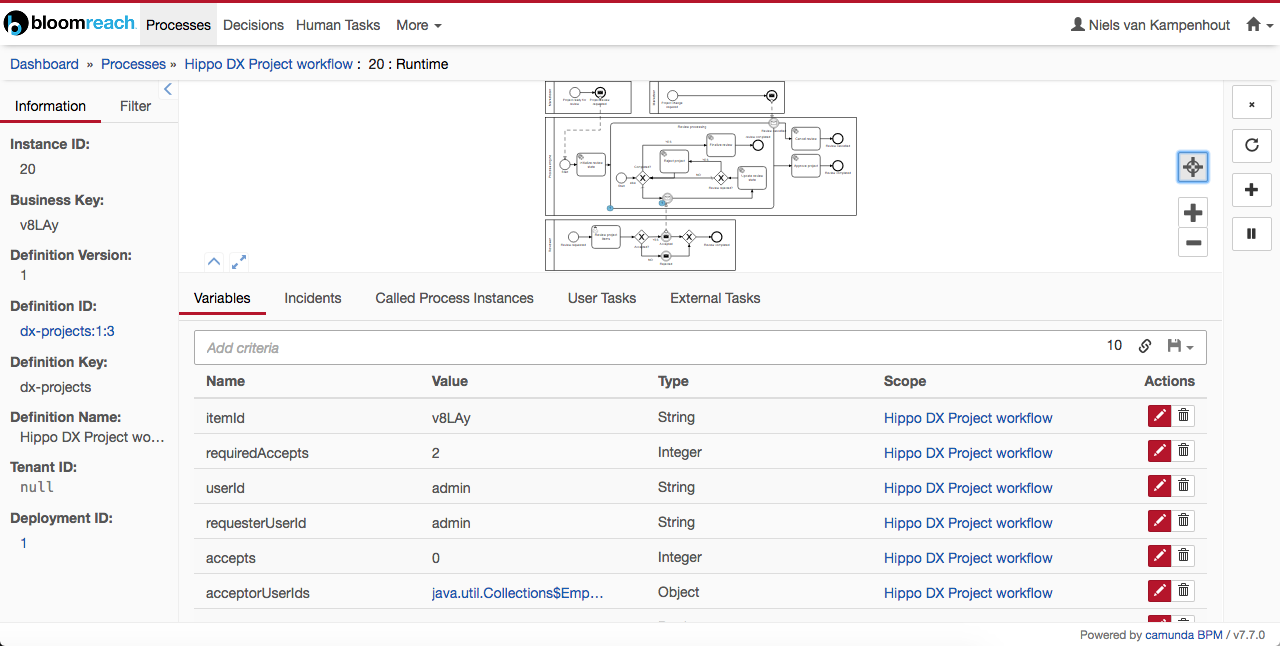
When a review is requested for a project, the system adds a hippowpm:externalid property to the project node. This property stores the ID of the review process running in BPM.
To monitor the process in Camunda:
- Go to
/bpm/app/cockpit/default/#/processes. - Select
Hippo DX Project workflow. - Find and select your project in the list.
- Inspect the process status. You can terminate the process or view its current state in the graphical interface.
The following image shows the Camunda process runtime view for the Hippo DX Project workflow: