Install the Translations Add-on
Info: Bloomreach provides Enterprise support for this feature to Bloomreach Experience customers. The release cycle for this feature may differ from the core product release cycle.
A separate license is required to use the Translations Add-on. Contact your account manager or sales representative for licensing details.
This guide assumes you are working with a standard Bloomreach Content project that uses Maven with a root POM and CMS and site modules.
Before you begin, determine the following:
- Connector selection: Choose which connector(s) to use: Livewords, Star, FTP, XTM, or Tester. The Tester connector is useful for local development.
- CMS request UI: Decide how users will initiate translation requests—either from the document editor, from advanced search, or both.
- CMS requests overview dashboard: Decide whether to enable an overview dashboard for translation requests in a new CMS perspective.
Installation Using Essentials
Starting with brXM v15 and Translations Add-on v6.3.0, you can install the plugin through Essentials. Complete the following preliminary steps to make the plugin available for installation:
-
In the
<properties>section of your rootpom.xml, add a property for the add-on version. Refer to the release notes for the latest version. Use version 6.3.0 or higher.<bloomreach.translations-addon.version>6.3.0</bloomreach.translations-addon.version> -
In the
<dependencies>section of the Essentialspom.xml, add the plugin dependency:<dependency> <groupId>com.bloomreach.cms.translations-addon</groupId> <artifactId>translations-addon-essentials-plugin</artifactId> <version>${bloomreach.translations-addon.version}</version> </dependency> -
Rebuild and restart your project. Open the Essentials app.
-
In the Settings tab, enable Make use of Enterprise features and Confirm / override settings on a per-feature basis.
-
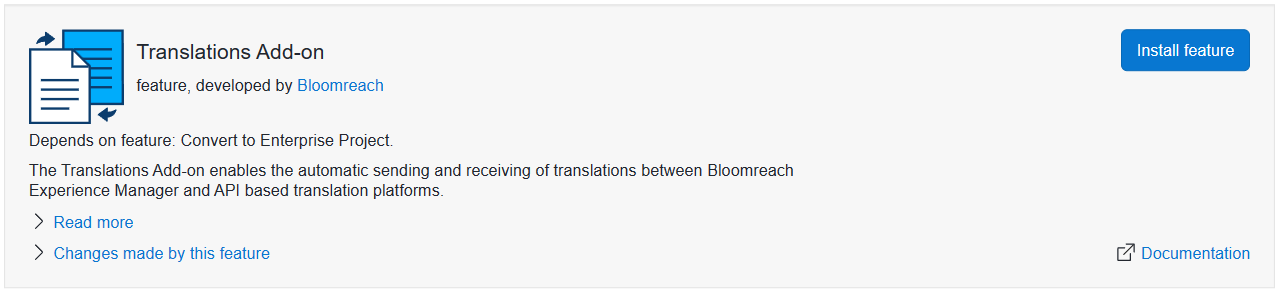
Go to the Library tab, locate the Translations Add-on feature, and click Install feature.
-
On the next screen, select the connectors and sub-features you want to install and enable, then click Apply.
Essentials will apply the manual installation steps described below to your project. Rebuild and restart your project after installation.
Note: The Essentials plugin supports only the initial setup. To add connectors or features later, follow the manual installation steps below.
Manual Installation
Root POM: Version Management and Repositories
brXM 15
Add the add-on version property to the <properties> section of your root pom.xml. Refer to the release notes for the latest version.
<bloomreach.translations-addon.version>6.3.0</bloomreach.translations-addon.version>
brXM 14
Add version properties for the add-on and, if using version 5.7.0 or lower, for the settings management plugin. Refer to the 5.x release notes for the latest version.
<bloomreach.translations-addon.version>5.10.0</bloomreach.translations-addon.version> <!-- NOTE: For 5.7.0 and lower, add the Settings Management plugin dependency. Remove this when using Translations Add-on 5.8.0 or higher. <forge.settingsmanagement.version>3.1.0</forge.settingsmanagement.version> -->
Maven Repositories
Add the Bloomreach Enterprise and Bloomreach Forge repositories to the <repositories> section if they are not already present.
<repository> <id>bloomreach-maven2-enterprise</id> <name>Bloomreach Enterprise Maven 2</name> <url>https://maven.bloomreach.com/repository/maven2-enterprise/</url> </repository> <repository> <id>bloomreach-forge</id> <name>Bloomreach Forge Maven 2 Repository</name> <url>https://maven.bloomreach.com/repository/maven2-forge/</url> </repository>
Dependency Management
Set the versions for all Translations Add-on artifacts in the <dependencyManagement><dependencies> section of your root pom.xml. For example:
<dependencyManagement> <dependencies> <dependency> <groupId>com.bloomreach.cms.translations-addon</groupId> <artifactId>translations-addon-bom</artifactId> <version>${bloomreach.translations-addon.version}</version> <type>pom</type> </dependency> <!-- Repeat for all required artifacts in CMS and site POMs (see below) --> </dependencies> </dependencyManagement>
CMS Dependencies Module: Required, Recommended, and Optional Dependencies
The Translations Add-on requires components from the Advanced Search feature. Install Advanced Search if it is not already present.
Add the following dependencies to the <dependencies> section of the cms-dependencies module's pom.xml:
<dependencies> <!-- Mandatory: Advanced Search (required by the add-on) --> <dependency> <groupId>com.onehippo.cms7</groupId> <artifactId>hippo-addon-advanced-search-frontend</artifactId> <type>pom</type> </dependency> <dependency> <groupId>com.onehippo.cms7</groupId> <artifactId>hippo-addon-advanced-search-repository</artifactId> </dependency> <!-- Mandatory: Bill Of Materials POM --> <dependency> <groupId>com.bloomreach.cms.translations-addon</groupId> <artifactId>translations-addon-bom</artifactId> <type>pom</type> </dependency> <!-- Optional, recommended: Translations overview dashboard --> <dependency> <groupId>com.bloomreach.cms.translations-addon</groupId> <artifactId>translations-addon-dashboard</artifactId> </dependency> <!-- Optional, recommended: Configuration perspective --> <!-- For brXM 14.0 and lower: depends on settings management. Remove these dependencies when using Translations Add-on 5.8.0 or higher. <dependency> <groupId>org.bloomreach.forge.settingsmanagement</groupId> <artifactId>bloomreach-settingsmanagement-repository</artifactId> </dependency> <dependency> <groupId>org.bloomreach.forge.settingsmanagement</groupId> <artifactId>bloomreach-settingsmanagement-frontend-core</artifactId> </dependency> --> <dependency> <groupId>com.bloomreach.cms.translations-addon</groupId> <artifactId>translations-addon-settings-frontend</artifactId> </dependency> <!-- Optional: Document editor frontend --> <dependency> <groupId>com.bloomreach.cms.translations-addon</groupId> <artifactId>translations-addon-editor-frontend</artifactId> </dependency> <!-- Optional: Advanced search frontend --> <dependency> <groupId>com.bloomreach.cms.translations-addon</groupId> <artifactId>translations-addon-search-frontend</artifactId> </dependency> <!-- Optional: Tester connector --> <dependency> <groupId>com.bloomreach.cms.translations-addon</groupId> <artifactId>translations-addon-connector-tester</artifactId> </dependency> <!-- Optional: Livewords connector --> <dependency> <groupId>com.bloomreach.cms.translations-addon</groupId> <artifactId>translations-addon-connector-livewords-repository</artifactId> </dependency> <!-- Optional: XTM connector --> <dependency> <groupId>com.bloomreach.cms.translations-addon</groupId> <artifactId>translations-addon-connector-xtm-repository</artifactId> </dependency> <!-- Optional: Star connector --> <dependency> <groupId>com.bloomreach.cms.translations-addon</groupId> <artifactId>translations-addon-connector-star</artifactId> </dependency> <!-- Optional: FTP connector --> <dependency> <groupId>com.bloomreach.cms.translations-addon</groupId> <artifactId>translations-addon-connector-ftp</artifactId> </dependency> <!-- Optional: ChatGPT connector --> <dependency> <groupId>com.bloomreach.cms.translations-addon</groupId> <artifactId>translations-addon-connector-chatgpt</artifactId> </dependency> <!-- Optional: Globallink connector --> <dependency> <groupId>com.bloomreach.cms.translations-addon</groupId> <artifactId>translations-addon-connector-globallink</artifactId> </dependency> </dependencies>
Site Module: Add LiveWords or XTM Web Hook (If Applicable)
To enable the LiveWords or XTM system to post translated documents into the repository, add the relevant dependency to the <dependencies> section of your site module's pom.xml:
<dependencies> <!-- Livewords webhook --> <dependency> <groupId>com.bloomreach.cms.translations-addon</groupId> <artifactId>translations-addon-connector-livewords-webhook</artifactId> </dependency> <!-- XTM webhook --> <dependency> <groupId>com.bloomreach.cms.translations-addon</groupId> <artifactId>translations-addon-connector-xtm-webhook</artifactId> </dependency> </dependencies>
This dependency provides a TranslationResource class that must be configured as a Spring bean, as part of the plain REST resource pipeline. Create a file named spring-plain-rest-api.xml in src/main/resources/META-INF/hst-assembly/overrides with the following content. If your project already defines a customRestPlainResourceProviders bean, add the new bean to the existing list. Use XTMTranslationResource instead of the Livewords resource if you are integrating with XTM.
<?xml version="1.0" encoding="UTF-8"?> <beans xmlns="http://www.springframework.org/schema/beans" xmlns:xsi="http://www.w3.org/2001/XMLSchema-instance" xsi:schemaLocation="http://www.springframework.org/schema/beans http://www.springframework.org/schema/beans/spring-beans-3.0.xsd"> <import resource="classpath:/org/hippoecm/hst/site/optional/jaxrs/SpringComponentManager-rest-jackson.xml"/> <import resource="classpath:/org/hippoecm/hst/site/optional/jaxrs/SpringComponentManager-rest-plain-pipeline.xml"/> <bean id="customRestPlainResourceProviders" class="org.springframework.beans.factory.config.ListFactoryBean"> <property name="sourceList"> <list> <bean class="org.apache.cxf.jaxrs.lifecycle.SingletonResourceProvider"> <constructor-arg> <bean class="com.bloomreach.cms.translations.connector.livewords.rest.TranslationResource"/> <!--bean class="com.bloomreach.cms.translations.connector.xtm.rest.XTMTranslationResource"/--> </constructor-arg> </bean> </list> </property> </bean> </beans>