Translations Add-on
Info: Bloomreach provides Enterprise support for this feature to Bloomreach Experience customers. The release cycle for this add-on may differ from the core product release cycle.
This feature requires an additional license. Contact your account manager or sales representative for licensing details.
Feedback
To report issues, suggest improvements, or submit requests, contact Bloomreach Support.
Overview
The Translations Add-on automates the exchange of translations between Bloomreach Content and API-based translation platforms.
- Editors can request translations for one or more languages for a specific document. The document is sent to the external translation system.
- After translation is completed in the external system, the translated document is returned to the Hippo repository, either by push or pull, for editor review and publication.
- The add-on includes out-of-the-box integrations with LiveWords (livewords.com), Globallink (translations.com), and other platforms.
- Multiple translation connectors are supported.
Supported Integrations
The Translations Add-on currently supports the following connectors:
- ChatGPT connector: see documentation.
- LiveWords (livewords.com): see the LiveWords connector documentation.
- Star Translation Services (star-ts.com): see the Star connector documentation.
- XTM (xtm.cloud): see the XTM connector documentation.
- Generic FTP connector: see documentation.
- Updated to REST in 7.2.1: Globallink (transperfect.com): see the GlobalLink connector documentation.
Getting Started
Select a connector and install the add-on in your Hippo project.
After installation, configure the add-on. Configuration requires an external translation service to be available.
Usage Overview
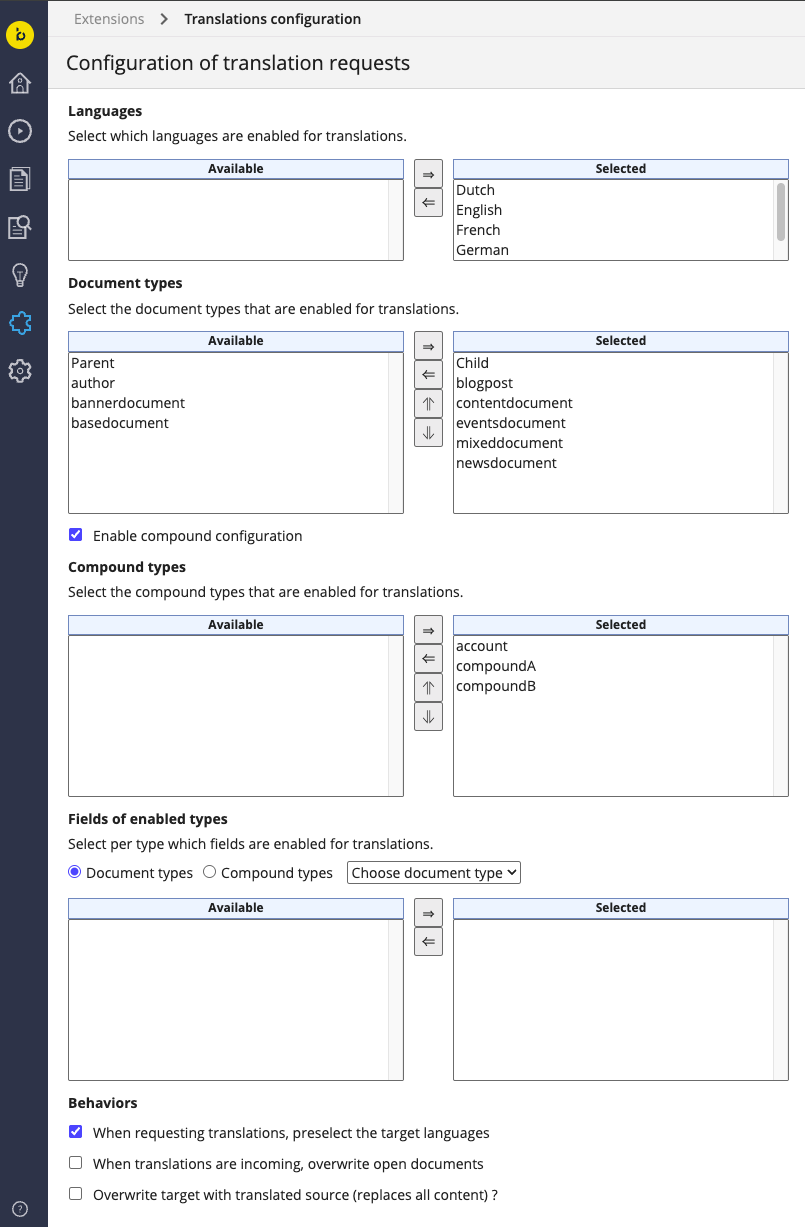
As an administrator, configure document types and fields for translation.
Refer to the screenshot below and the configuration documentation.
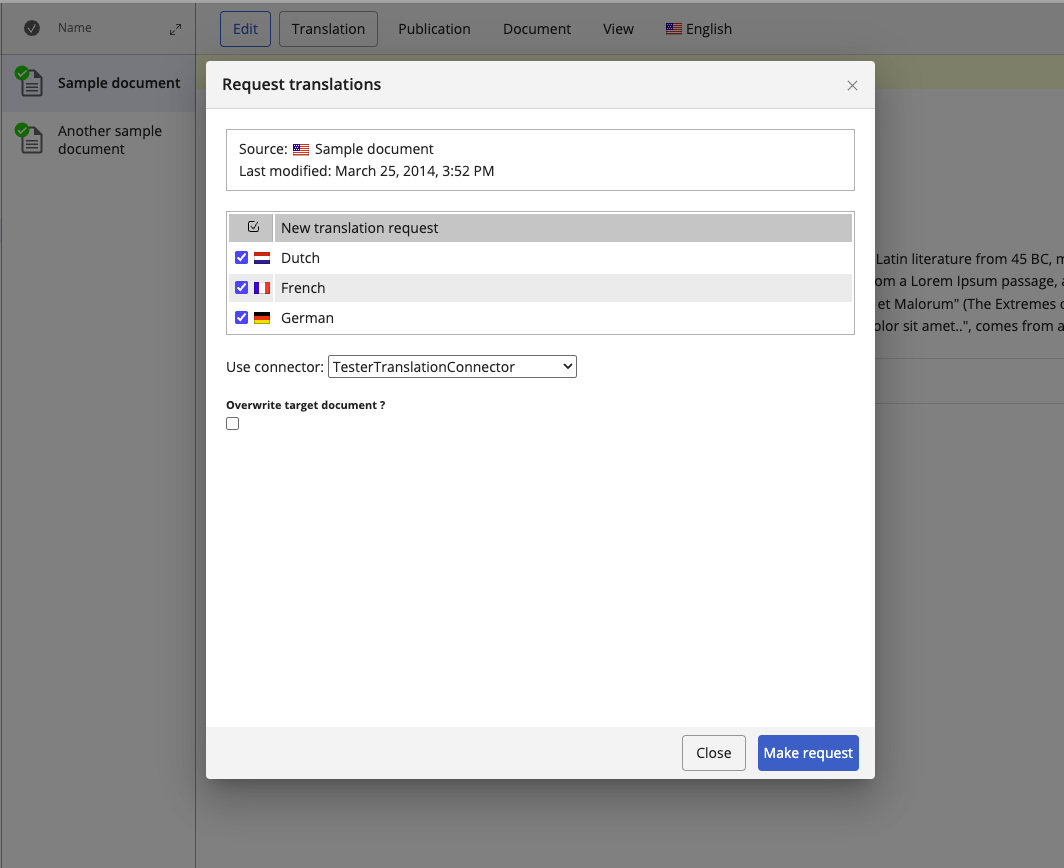
As an editor, request translations directly from the document editor.
See the screenshot below and the Request from Document documentation.
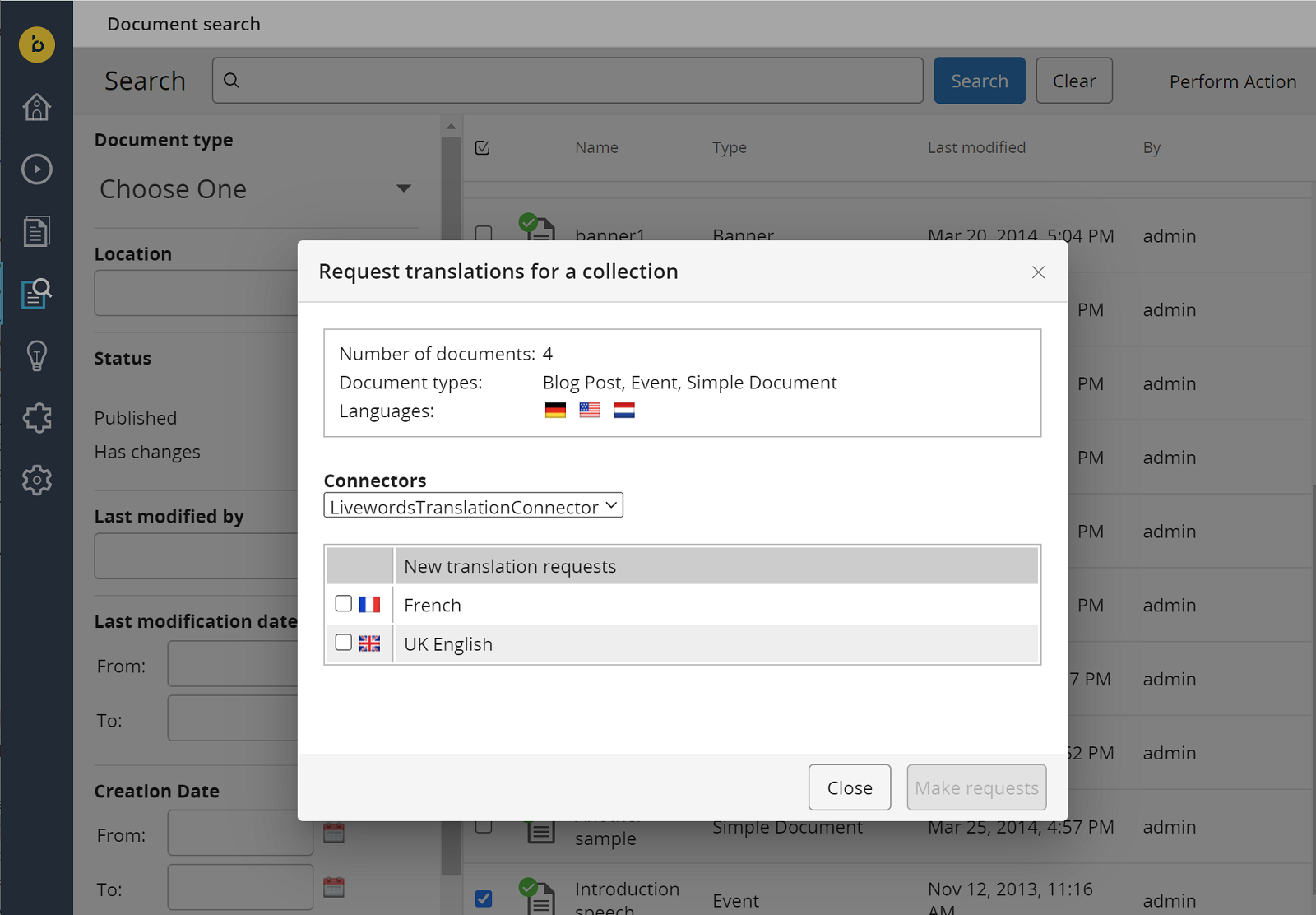
Editors can also request translations for multiple documents from the search perspective.
See the screenshot below and the Request from Search documentation.
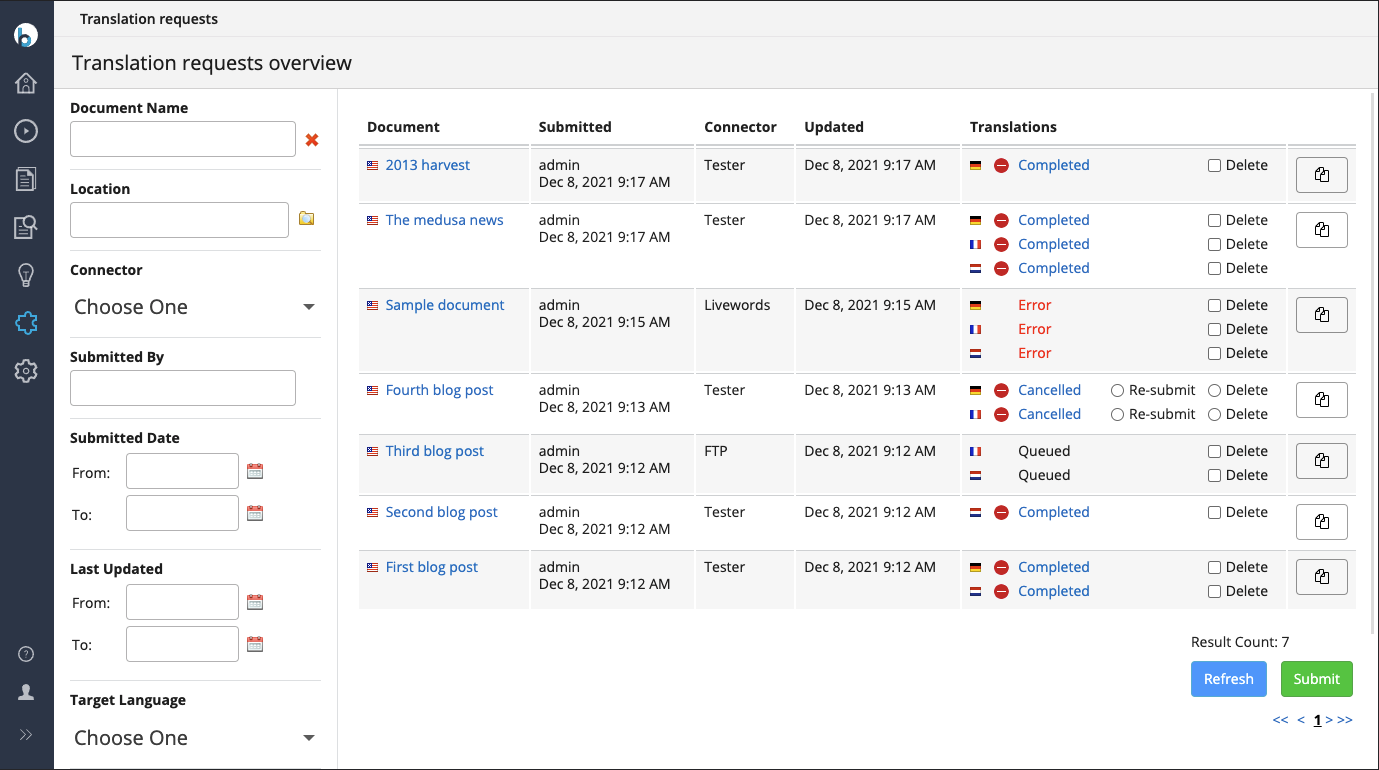
Editors can view all translation requests from the dashboard.
See the screenshot below and the Overview Dashboard documentation.