Audit Addon Introduction
An additional license is required to use the Audit Addon. Contact your account manager or sales representative for licensing details.
Overview
The Audit Addon records events within the CMS and transmits event data to configured connectors. You can retrieve stored event data from the external storage through a custom UI that supports search, filtering, and export.
Tracked Events
The Audit Addon captures the following event types:
- Security events
- Content workflow events
- Page events
- Channel Manager events
- Project events

Architecture
The Audit Addon includes repository configuration, event handlers, connectors, and a custom perspective with a frontend UI. Event handlers process and extract information from CMS events. You can configure a persistence manager to store events before broadcasting them to connectors.
The addon provides two sample connector implementations: ActiveMQ and Elasticsearch. Both the persistence manager and connectors are defined by interfaces, allowing you to implement custom versions that meet your project requirements. You can configure and integrate these custom implementations with the addon to support your preferred architecture.
This approach enables reliable data transfer between the CMS and external data stores. You can integrate the selected data store with a custom frontend UI to list, filter, and export audit data. The frontend UI can be embedded in a Custom Perspective within the CMS.
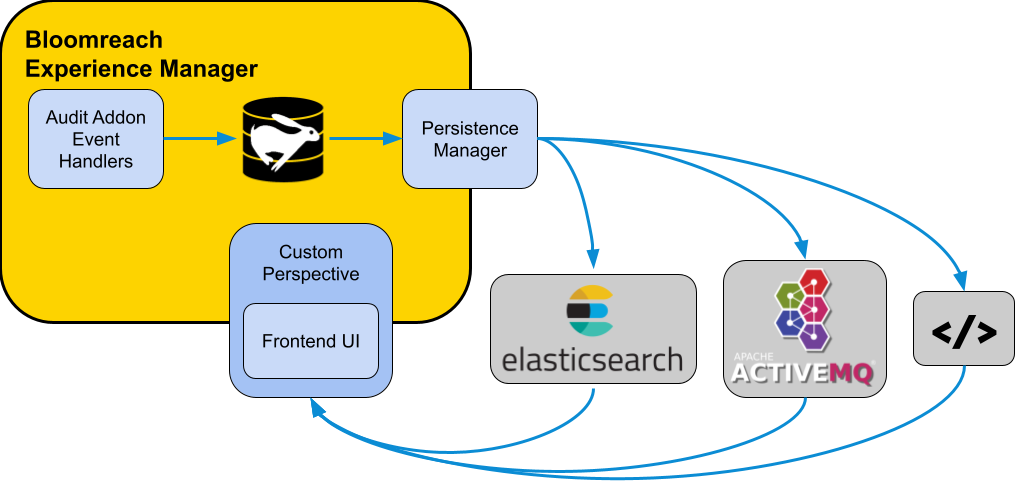
Diagram: The diagram illustrates Bloomreach Content containing Audit Addon Event Handlers, a repository, and a Persistence Manager. Arrows show the flow of events from handlers through the repository to the persistence manager, which then sends data to external systems such as Elasticsearch, Apache ActiveMQ, and a generic endpoint. A Custom Perspective with a Frontend UI is shown within the CMS, with arrows indicating that audit data from external stores can be displayed in this UI.
Dashboard View
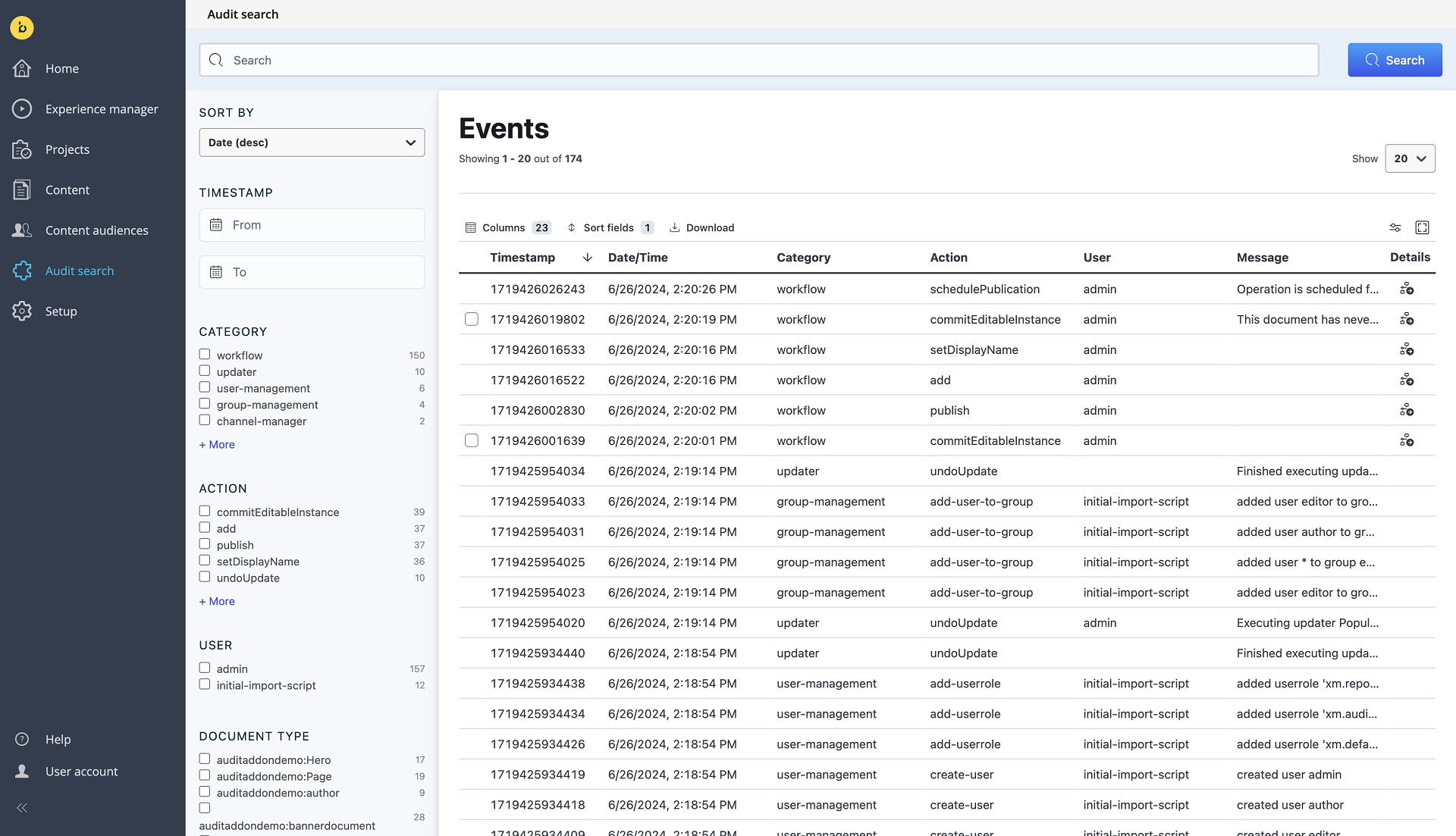
The Audit Addon includes a sample end-to-end integration with Elasticsearch. The sample ElasticSearchClient sends events to an Elasticsearch instance. The addon adds a Custom Perspective called "Audit search" to the CMS. Only users with the required user role can access this perspective.
The perspective embeds a frontend UI based on the Search UI. This UI provides search, filtering, and export capabilities for all tracked events stored in Elasticsearch.