Advanced Search
Info: Advanced Search requires a standard or premium Bloomreach Content license. Contact Bloomreach for licensing details.
Overview
Advanced Search enables editors to compose complex queries and execute bulk workflow actions on the resulting documents.
To add Advanced Search to your project, see Adding Advanced Search to a Project.
Extension Points
You can customize Advanced Search to fit your project requirements.
The following diagram shows the main extension areas in the Advanced Search and Bulk Workflow interface:
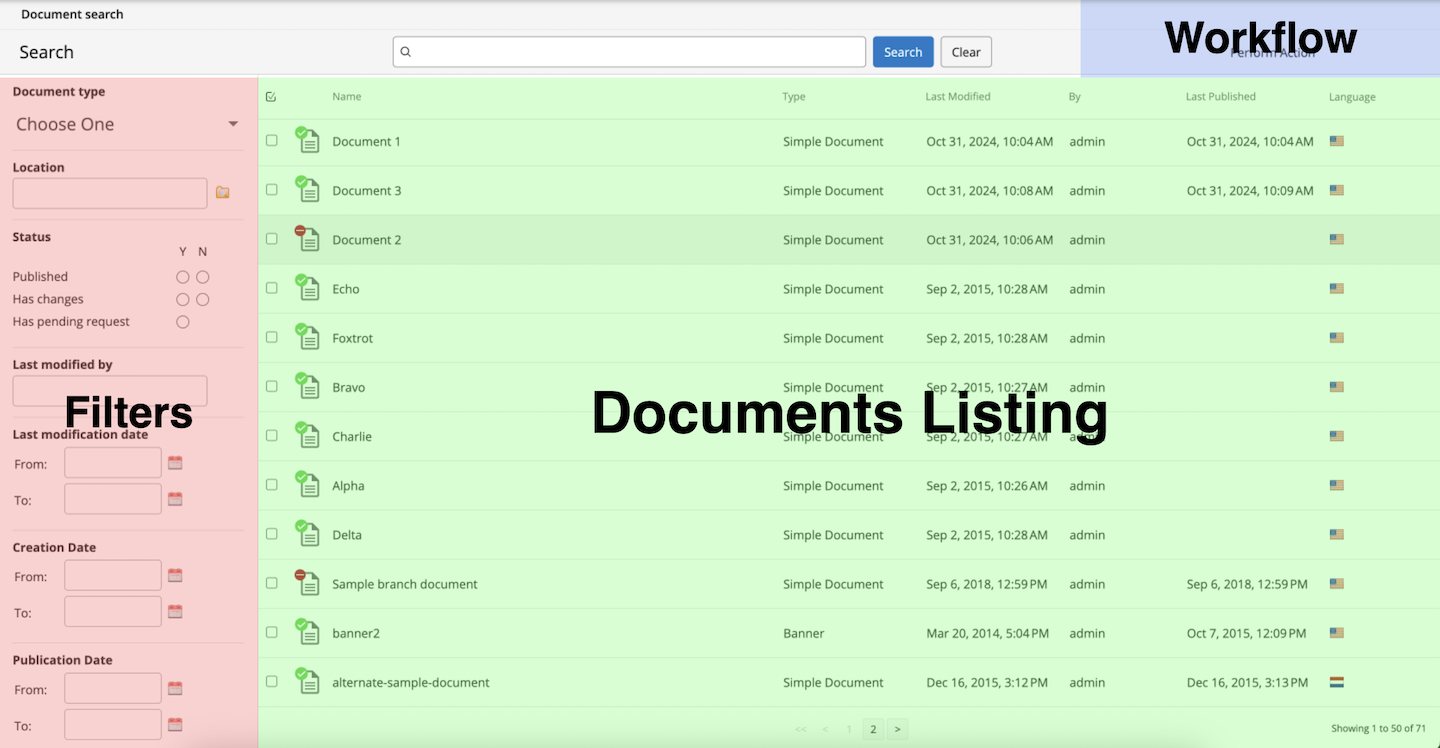
Diagram: The image displays the Advanced Search interface with three highlighted sections. The left panel (pink) is labeled Filters and contains constraints such as document type, location, status, last modified by, and date ranges. The central area (green) is labeled Documents Listing and displays a table of search results with columns for name, type, last modified, by, last published, and language. The top right area (blue) is labeled Workflow and shows where to perform actions on selected documents.
You can extend Advanced Search in the following ways: