Discovery Component Parameters
This page describes the parameters, purpose, and template/API exposure for each Discovery component. Editors configure these components through the parameter panel in the Channel Manager component editor. Components are placed on pages using standard HST configuration.
For information about component placement and page composition, see Installation and Configuration. For components that use the v2 Pathways API, refer to Recommendations & Visual Search.
ON THIS PAGE
- [Search Grid](#Search Grid)
- [Category Grid](#Category Grid)
- [Search Input](#Search Input)
- [Product Detail](#Product Detail)
- [Product Highlight](#Product Highlight)
- [Category Highlight](#Category Highlight)
- [Recommendation components](#Recommendation Components)
- Everything at a glance
Search Grid - DiscoverySearchGridComponent
Displays keyword search results with facets, pagination, sorting, did-you-mean suggestions, auto-correct, keyword redirects, and visual search support.
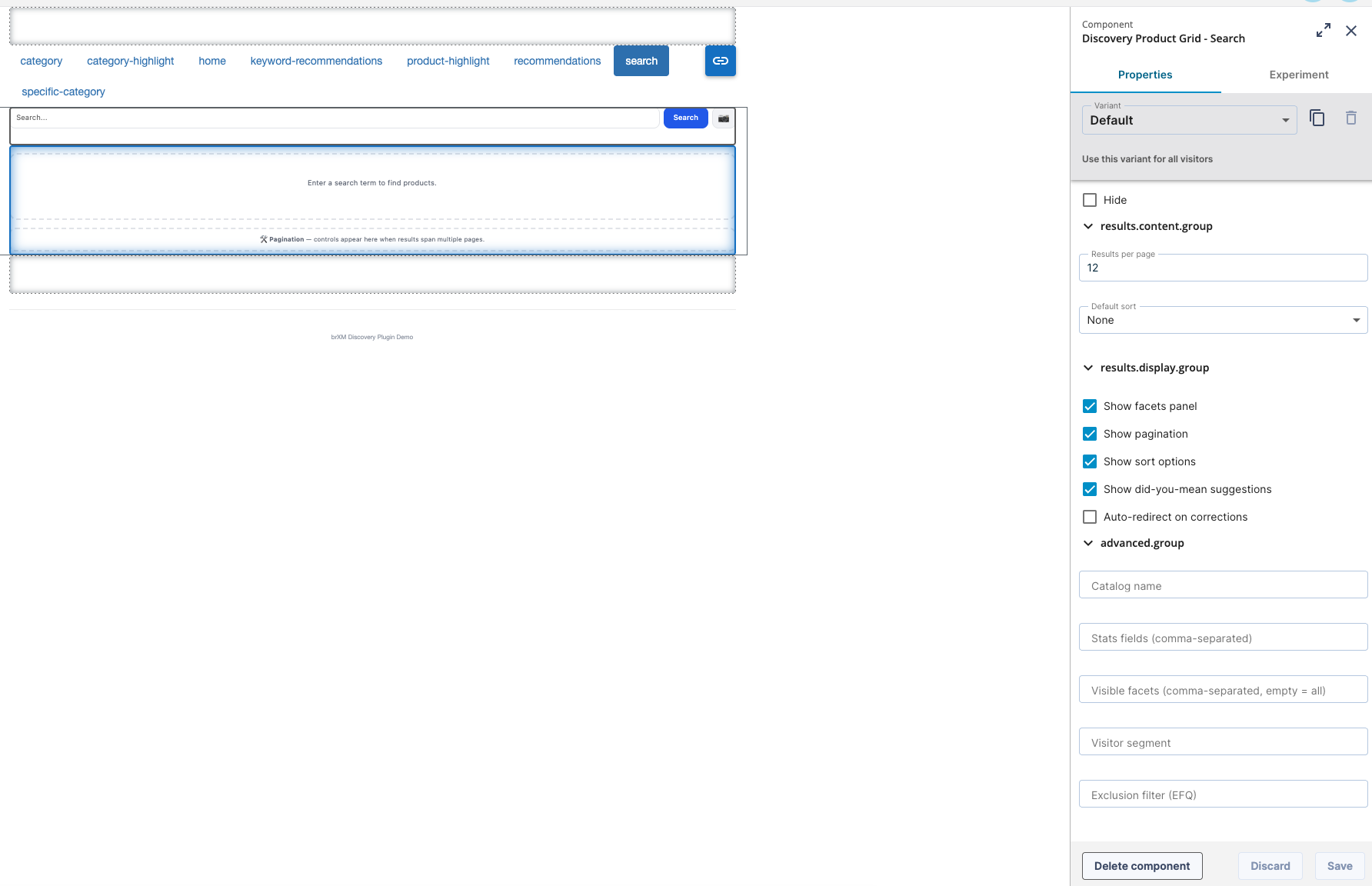
| Parameter | Group | Type | Default | Description |
|---|---|---|---|---|
| pageSize | Content | int | 12 | Number of results per page. |
| showFacets | Display | boolean | true | Display the facet panel. |
| showPagination | Display | boolean | true | Display pagination controls. |
| showSort | Display | boolean | true | Display the sort control. |
| showDidYouMean | Display | boolean | true | Show did-you-mean suggestions. |
| autoRedirect | Display | boolean | false | Automatically follow a Discovery keyword redirect (server-side). |
| defaultSort | Advanced | String | "" | Default sort expression. URL sort parameter overrides this value. |
| catalogName | Advanced | String | "" | Name of the Discovery catalog to search. Leave blank to search the product catalog. |
| statsFields | Advanced | String | "" | Comma-separated list of fields for min/max/mean statistics. |
| facetFields | Advanced | String | "" | Comma-separated facet fields to display. Leave empty to show all facets returned by Discovery. |
| segment | Advanced | String | "" | Discovery visitor segment for personalized results. |
| exclusionFilter | Advanced | String | "" | Server-side filter expression to exclude items from results. |
Accepted query parameters:
q(search term)page(0-indexed)sortfilter.{attribute}(repeatable facet filter)
Exposed models:
- products
- pagination
- facets
- facetUrls
- activeFacets
- clearAllFiltersUrl
- sortUrl
- didYouMean
- autoCorrectQuery
- redirectUrl
- campaign
Category Grid - DiscoveryCategoryGridComponent
Displays category browse results with the same facet, pagination, and sort options as the search grid.
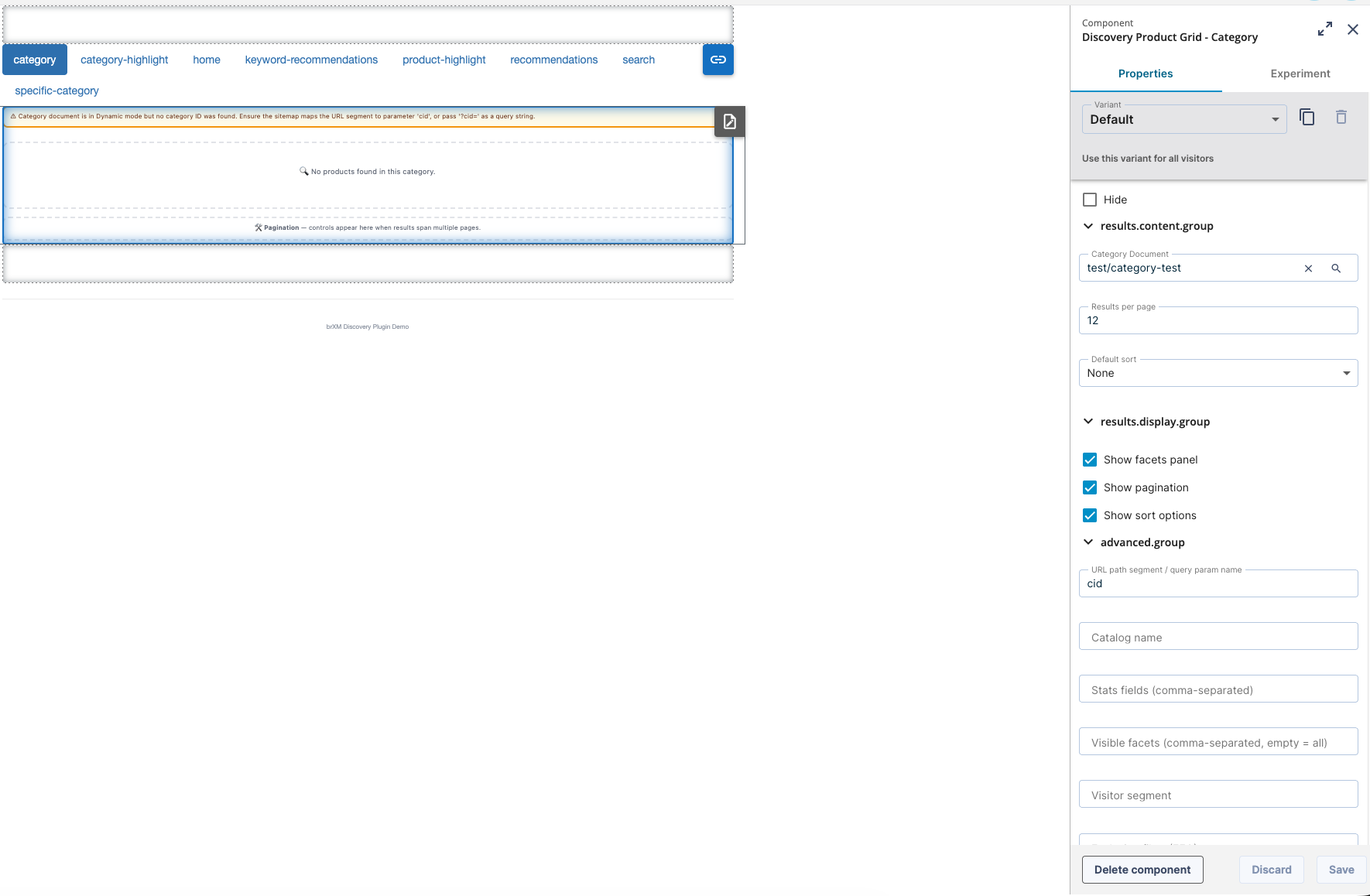
| Parameter | Group | Type | Default | Description |
|---|---|---|---|---|
| document | Content | JCR path (Category Document picker) | - | Category to browse. Used only in category mode. See CMS Document Types & Pickers. |
| pageSize | Content | int | 12 | Number of results per page. |
| showFacets | Display | boolean | true | Display the facet panel. |
| showPagination | Display | boolean | true | Display pagination controls. |
| showSort | Display | boolean | true | Display the sort control. |
| defaultSort | Advanced | String | "" | Default sort expression. |
| statsFields | Advanced | String | "" | Comma-separated fields for min/max/mean statistics. |
| facetFields | Advanced | String | "" | Comma-separated facet fields to display. Leave empty to show all facets returned by Discovery. |
| segment | Advanced | String | "" | Discovery visitor segment for personalized results. |
| exclusionFilter | Advanced | String | "" | Server-side exclusion filter. |
| categoryUrlParam | Advanced | String | cid | URL parameter name for the category ID (used in path segment and query string). |
Exposed models:
All models from Search Grid, plus:
- categoryId
- displayName
- stats
Search Input - DiscoverySearchInputComponent
Provides a standalone search bar with autosuggest. You can place this component in any page zone, such as the header, sidebar, or inline.
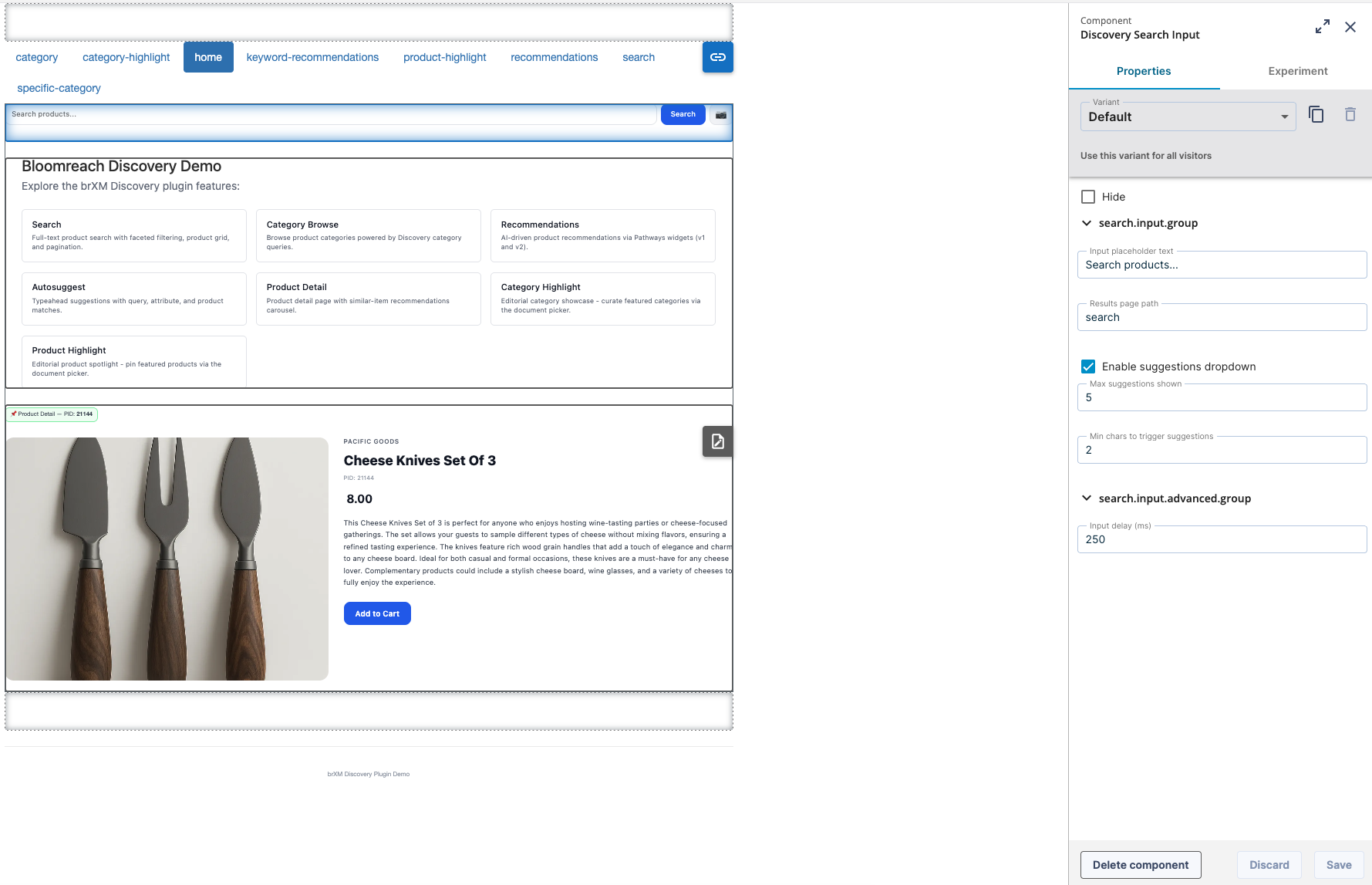
| Parameter | Type | Default | Description |
|---|---|---|---|
| placeholder | String | "Search..." | Placeholder text for the input field. |
| resultsPage | String | "" | Path to the results page for full search results. If blank, submits to the current page. |
| suggestionsEnabled | boolean | true | Enable the autosuggest dropdown. |
| suggestionsLimit | int | 5 | Maximum number of suggestions per category (query, attribute, product). |
| minChars | int | 2 | Minimum number of characters before suggestions are requested. |
| debounceMs | int | 250 | Debounce delay (in milliseconds) before sending an autosuggest request. |
The search bar operates independently from the results page. It submits to the page that contains the DiscoverySearchGridComponent.
Exposed models:
- query
- autosuggestResult (query, attribute, and product suggestions)
- visualSearchEnabled
- visualSearchUploadUrl (see Recommendations & Visual Search)
Product Detail - DiscoveryProductDetailComponent
Retrieves a single product by ID for use on a product detail page.
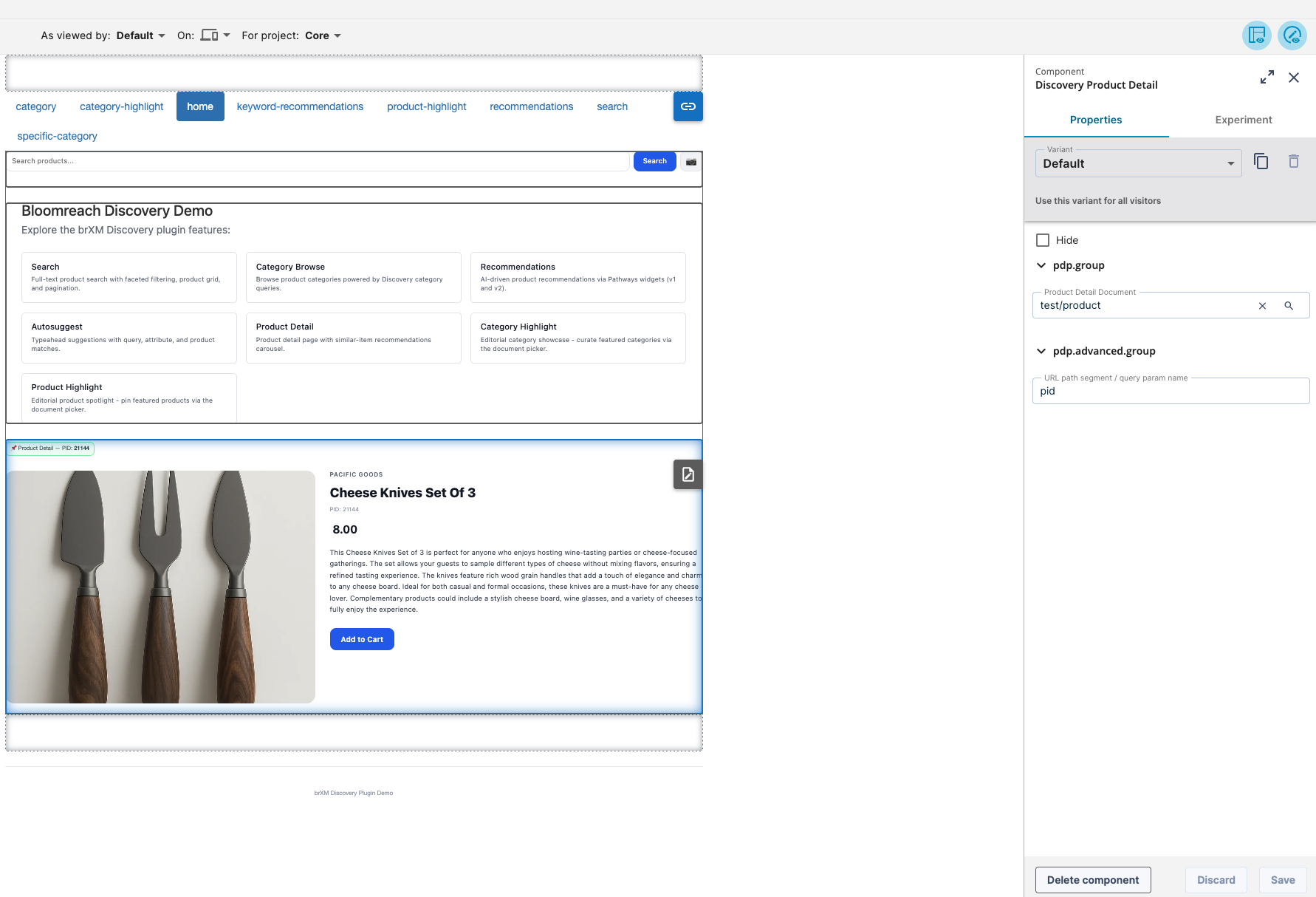
| Parameter | Type | Default | Description |
|---|---|---|---|
| document | JCR path (Product Detail Document picker) | - | Required. See CMS Document Types & Pickers for Pinned and Dynamic modes. |
| productUrlParam | String | pid | URL parameter name used in Dynamic mode. |
Exposed models:
- product (null if not resolved)
- pid
- document
- editMode
Product Highlight - DiscoveryProductHighlightComponent
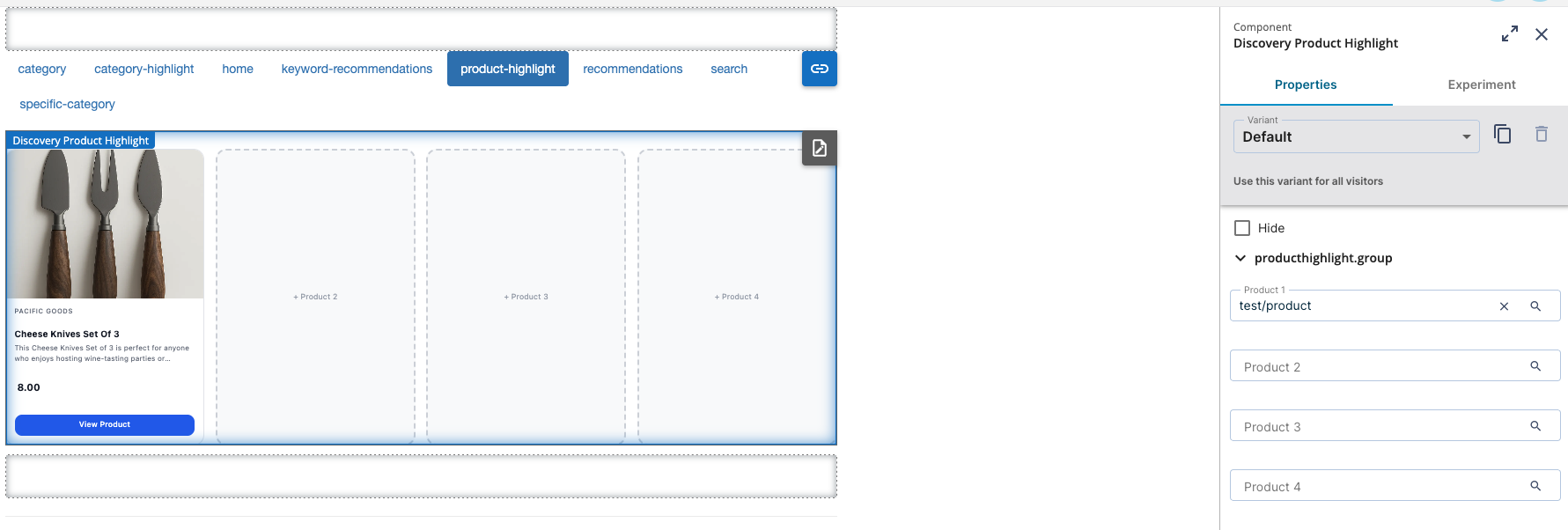
Displays up to four manually selected products for editorial merchandising. This component does not use algorithmic recommendations.
| Parameter | Type | Default | Description |
|---|---|---|---|
| document1–document4 | JCR path (Product Detail Document picker) | "" | Up to four products. Empty slots are ignored. |
Exposed models:
- products (always four entries; unfilled slots are null)
- editMode
Category Highlight - DiscoveryCategoryHighlightComponent
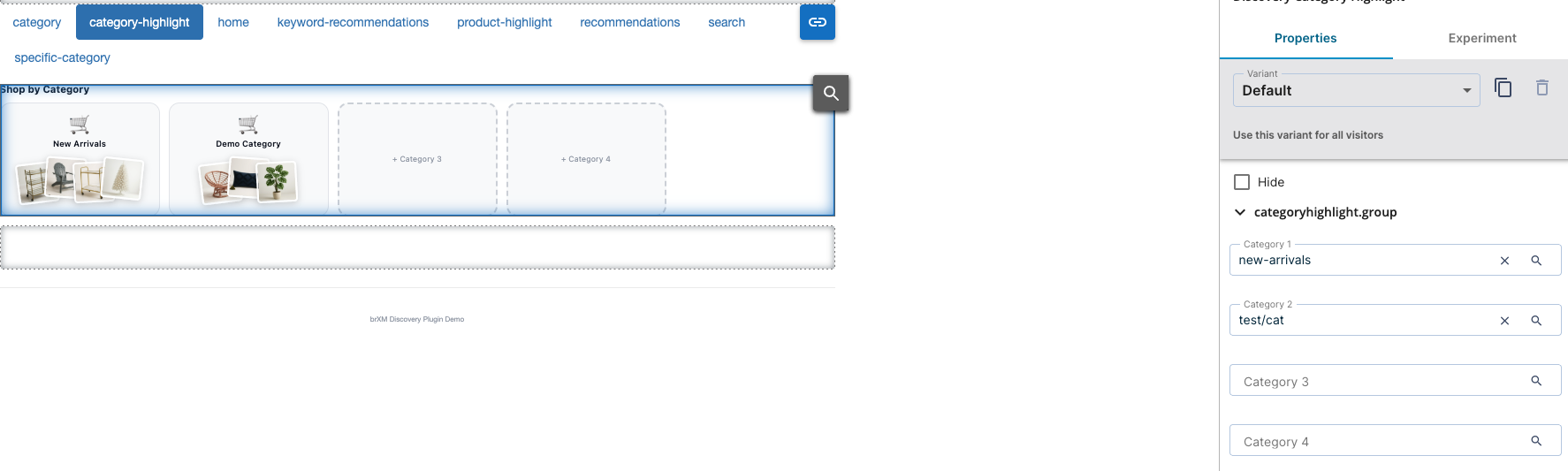
Displays up to four curated category navigation tiles. Each tile can optionally show a live product-thumbnail preview.
| Parameter | Type | Default | Description |
|---|---|---|---|
| document1–document4 | JCR path (Category Document picker) | "" | Up to four categories. Empty slots are ignored. |
Exposed models:
- categories
- previewProducts (keyed by category ID; populated if a product-preview count is configured)
- editMode
Recommendation Components
There are four recommendation components. Each shares the same base parameters but targets a different context. For setup details, including v2 Pathways API and widget document types, see Recommendations & Visual Search.
| Component | Use case |
|---|---|
| DiscoveryProductRecommendationComponent | Product-based recommendations (e.g., "similar items" on a product page) |
| DiscoveryCategoryRecommendationComponent | Category-based recommendations (e.g., "trending in this category") |
| DiscoveryGlobalRecommendationComponent | Global or personalized recommendations without context |
| DiscoveryKeywordRecommendationComponent | Recommendations based on a search keyword |
| Parameter | Group | Type | Default | Description |
|---|---|---|---|---|
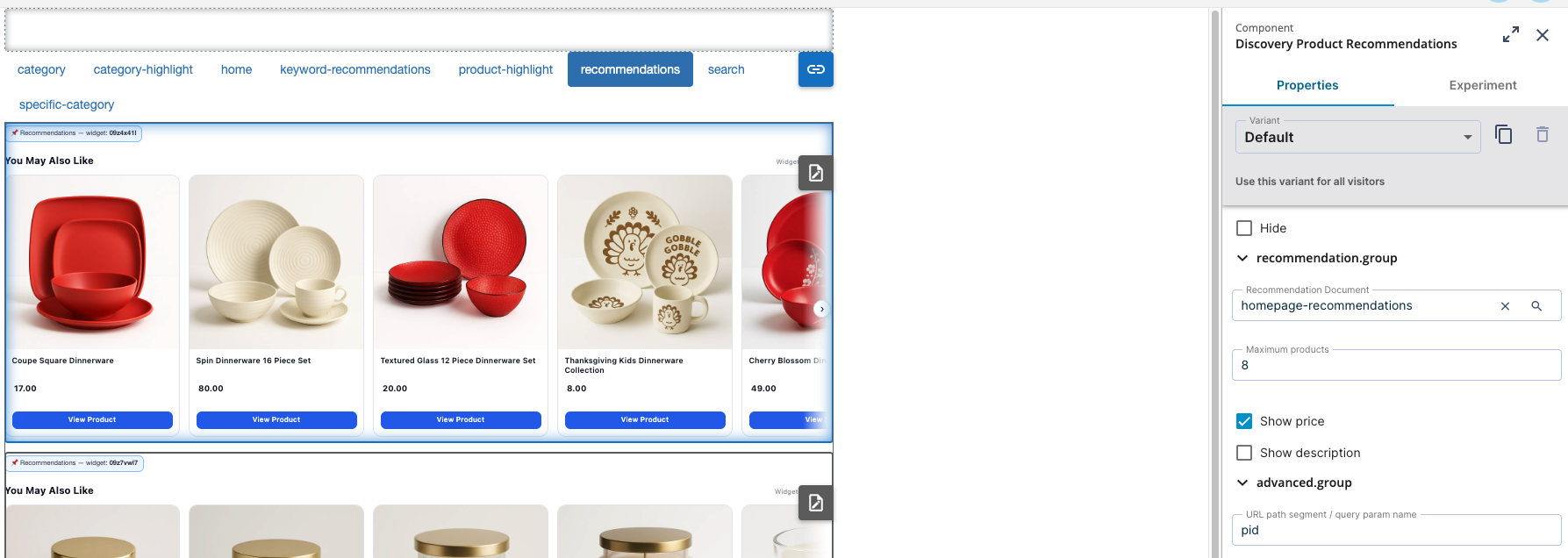
| document | Recommendations | JCR path (Recommendation Document picker) | - | Widget configuration, created using a three-step wizard. |
| limit | Recommendations | int | 8 | Number of recommendations to request. |
| showPrice | Recommendations | boolean | true | Display price in the bundled template. |
| showDescription | Recommendations | boolean | false | Display description in the bundled template. |
| productUrlParam (Product component only) | Advanced | String | pid | URL parameter used in Dynamic mode. |
| categoryUrlParam (Category component only) | Advanced | String | cid | URL parameter used in Dynamic mode. |
Exposed models:
- products
- widgetId
Everything at a Glance
| Component | Template | Content type |
|---|---|---|
| DiscoverySearchGridComponent | brxdis-results | Keyword & visual search results |
| DiscoveryCategoryGridComponent | brxdis-results | Category browse |
| DiscoverySearchInputComponent | brxdis-search-input | Search bar + autosuggest |
| DiscoveryProductRecommendationComponent | brxdis-recommendations-product | Product-keyed recommendations |
| DiscoveryCategoryRecommendationComponent | brxdis-recommendations-category | Category-keyed recommendations |
| DiscoveryGlobalRecommendationComponent | brxdis-recommendations-global | Global / personalized recommendations |
| DiscoveryKeywordRecommendationComponent | brxdis-recommendations-keyword | Keyword-keyed recommendations |
| DiscoveryProductDetailComponent | brxdis-product-detail | Single product detail |
| DiscoveryProductHighlightComponent | brxdis-product-highlight | Curated product showcase |
| DiscoveryCategoryHighlightComponent | brxdis-category-highlight | Curated category navigation |
All bundled templates are registered automatically. For details, see Installation. Each component exposes its models to both Freemarker (via request.setAttribute()) and the Page Model API (via request.setModel()), allowing the same configuration to support both traditional and headless front ends.