Requesting Translations from the Document Search Application
Info: Bloomreach provides Enterprise support for this feature for Bloomreach Experience customers. The release cycle for this feature may differ from the core product release cycle.
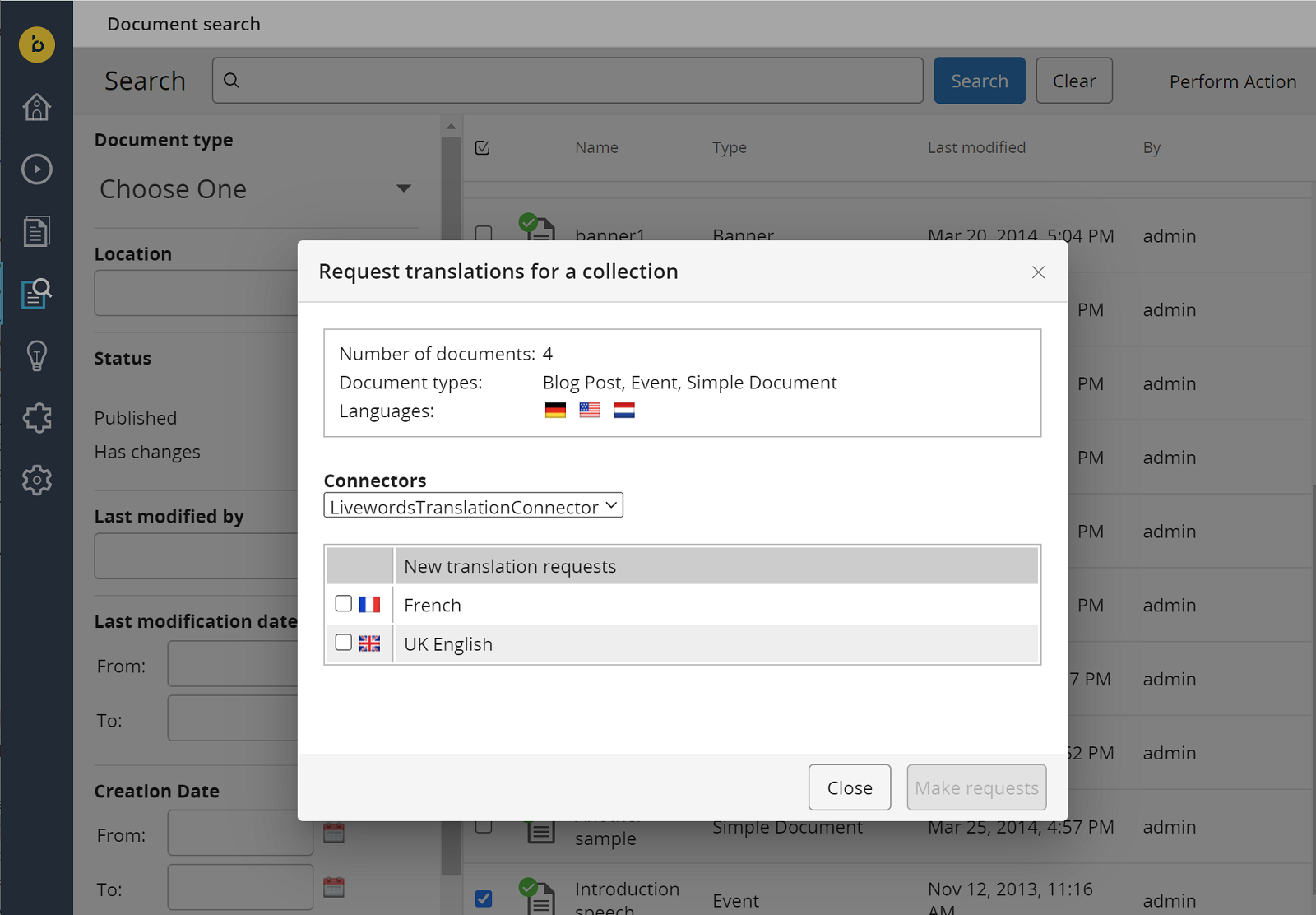
When both the advanced search and the translations addon search frontend extension are installed (see Installation), the "Request translations" action appears below the "Perform Action" button. Use this action to open a dialog and request translations for selected documents.
In versions before 6.0.0 on brXM 15, the action appears below a separate "Translations" button.
Additional Filters
The translations addon introduces extra search filters to help you select documents based on their translation status:
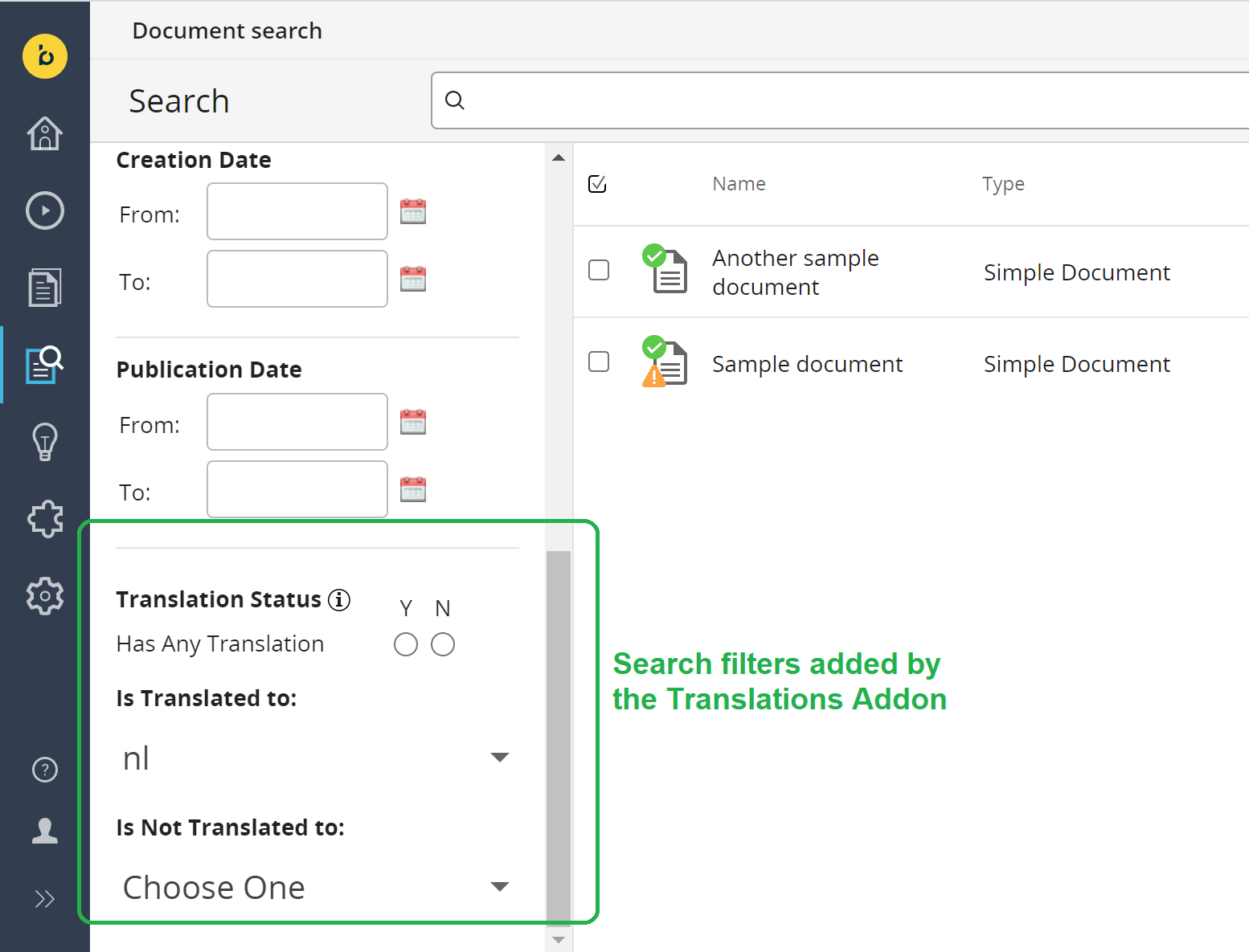
- Translation Status: Indicates if documents have linked translations (Y) or none (N). Documents with pending translation requests are also included in the "none" (N) category.
- Is translated to: Filters for documents that have been translated into a specific language.
- Is not translated to: Filters for documents that have not been translated into a specific language.
Technical note: These filters rely on the presence or absence of specific properties on the documents.