Text Find & Replace Plugin
Info: Bloomreach provides Enterprise support for this feature for Bloomreach Experience customers. The release cycle for this feature may differ from the core product release cycle.
Overview
The Text Find & Replace Plugin enables content authors to search for and replace text within documents using the Advanced Search Bulk Workflow Action Operation UI in the CMS.
Example Implementation Scenario
You can use this plugin to perform batch find and replace operations on CMS documents. The following example demonstrates a typical workflow:
- Log in to the CMS and open the Document search application.
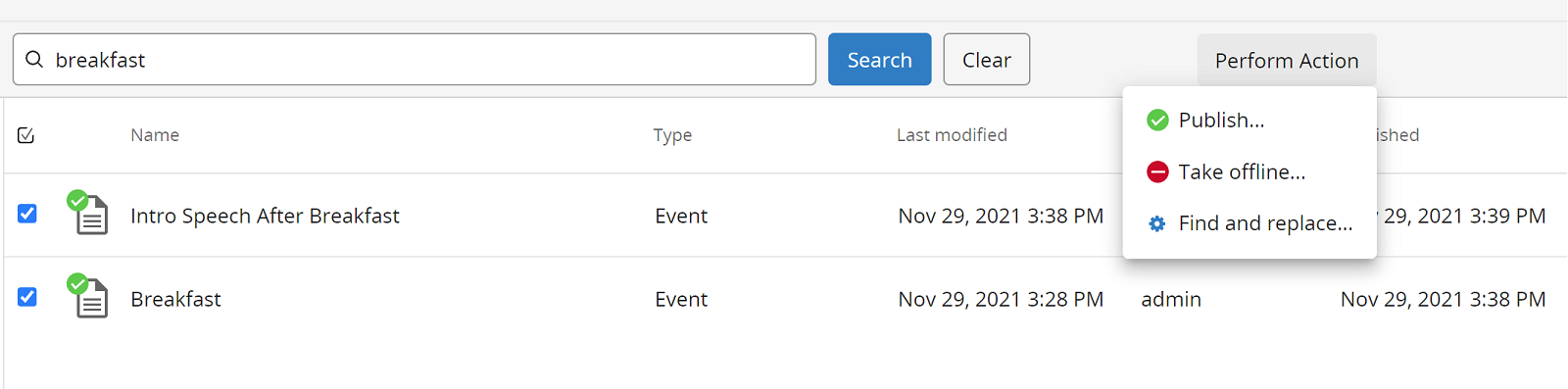
- Enter a search term, such as "breakfast", in the search field at the top.
- Select one or more documents from the search results.
- Click the Perform Action / Find and Replace... menu item in the top right corner.
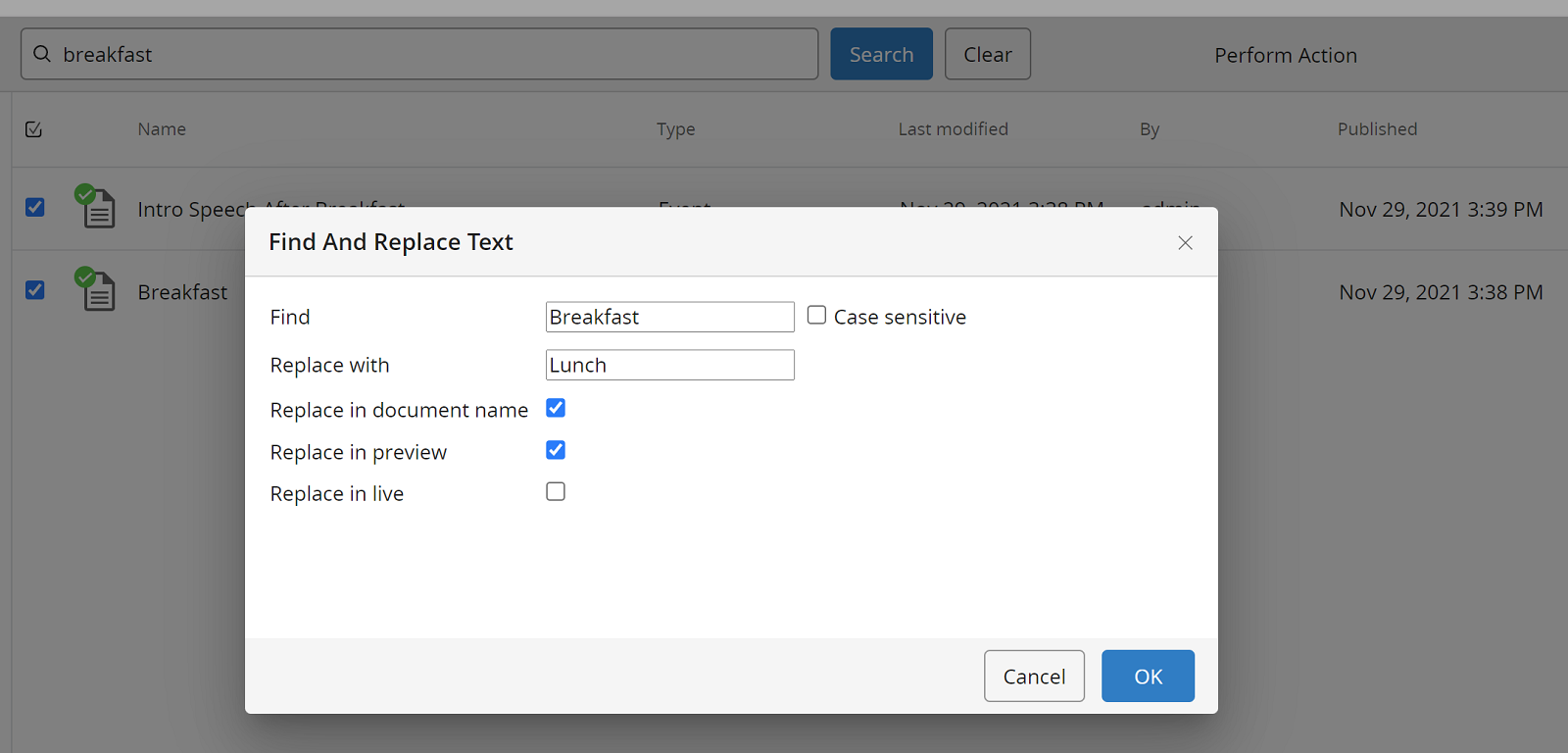
Note: In versions prior to 2.1.0, this menu item was labeled as Text Replaces / Find and Replace Text. - In the dialog, enter "breakfast" in the "Find" field, clear the "Case sensitive" checkbox if needed, and enter "Lunch" in the "Replace" field.
- Click the "OK" button to apply the changes.
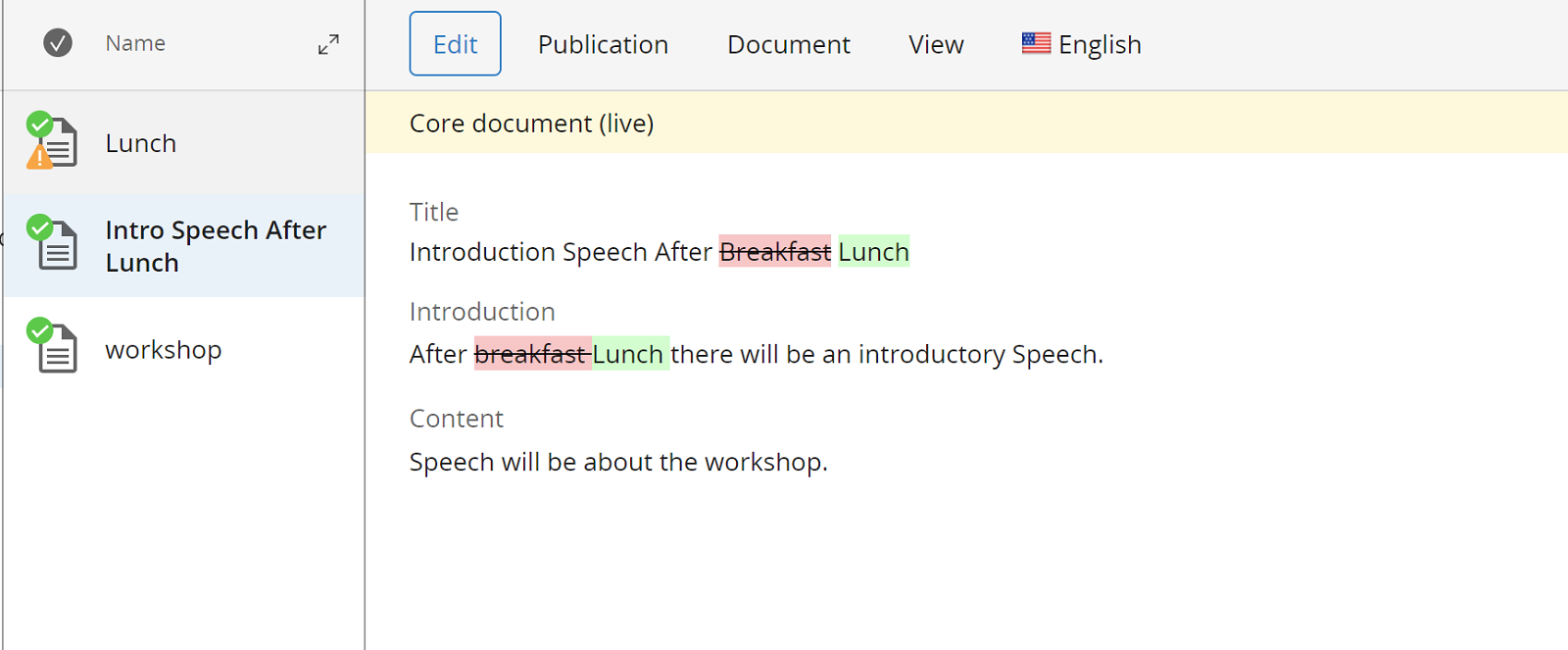
- Review the selected documents to confirm that the document name or other text fields have been updated as expected.
Demo Project
You can download a specific version of the demo project for testing and evaluation:
After downloading and extracting the package, build and run the demo project with the following command:
mvn clean verify && mvn -P cargo.run
Access the CMS at http://localhost:8080/cms/.
Screenshots
The screenshots below are from version 2.1.0 for brXM 14.7. Earlier versions may differ slightly.
The Perform Action / Find and replace... menu is available in the top right corner.
Specify the search and replacement text in the dialog.
Verify that the changes have been applied to the documents.