Manage Goals
Info: This feature requires a standard or premium Bloomreach Content license. Contact Bloomreach for details.
This page explains how to manage goals for use in experiments.
To manage goals, open the Content audiences application and select the Goals tab.
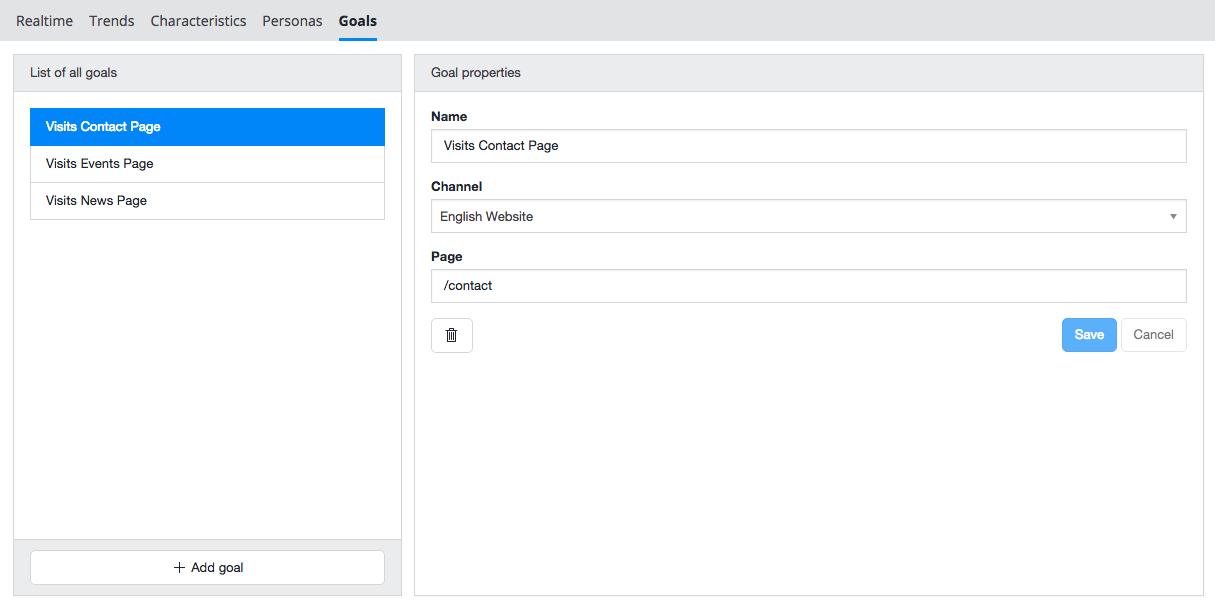
- The left column displays all existing goals. Goals included in an active experiment are marked with a flask icon:

- The right column shows the properties of the selected goal.
Create a Goal
-
Click the
+ Add goalbutton at the bottom of the goals list.
-
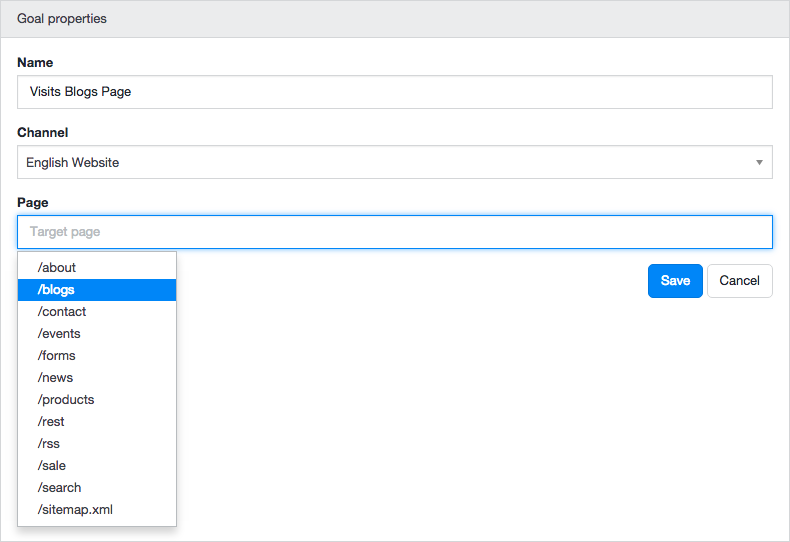
Enter a name for the goal, such as 'Visits Blogs Page'.
-
Select the relevant channel, for example 'English Website'.
-
Select the target page, such as '/blogs'.
-
Click
Save. A confirmation message appears, and the new goal is added to the list.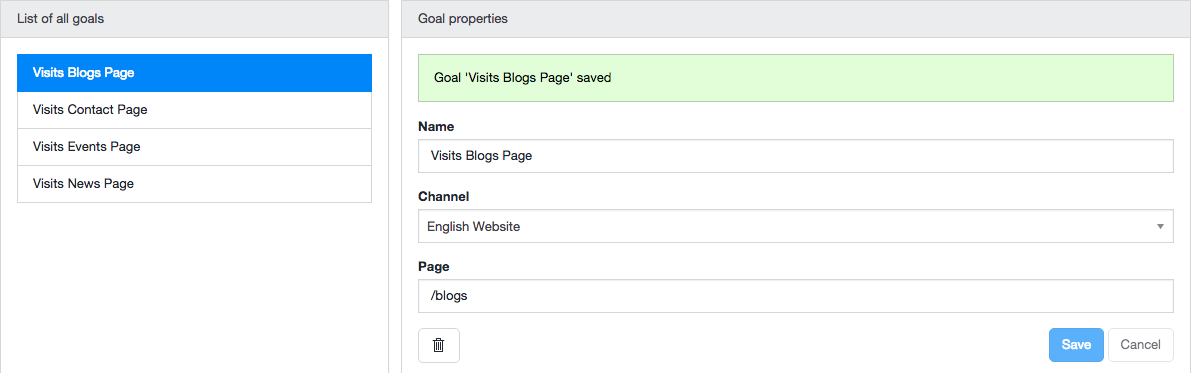
Modify a Goal
You can only modify goals that are not part of an active experiment (goals without the flask icon).
- In the left column, select the goal you want to modify.
- The goal's properties appear in the right column.
- Update the goal's name, channel, or page as needed.
- Click
Save. A confirmation message indicates the changes have been saved.
Delete a Goal
You can only delete goals that are not part of an active experiment (goals without the flask icon).
-
In the left column, select the goal you want to delete.
-
The goal's properties and a delete button (trash can icon) appear in the right column.

-
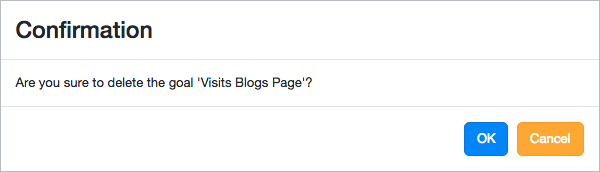
Click the delete button. A confirmation dialog appears.
-
Click
OKin the dialog to confirm deletion. The goal is removed.