Delete a Channel
Info: This feature is available starting from Hippo CMS 11.1.0.
Overview
You can delete a publication channel in Bloomreach Content if you have administrator privileges and the channel is configured as deletable.
Important: Deleting a channel cannot be undone.
When to Use
Delete a channel when it is no longer needed and has been configured to allow deletion.
Prerequisites
- Administrator privileges in Experience Manager
- The channel must be configured as deletable. For configuration steps, see Configure a Channel as Deletable.
Steps to Delete a Channel
-
Open the Experience Manager application.
-
In the channel list, select the channel you want to delete.
-
Open the
Channelmenu. If the channel is deletable, the menu displays aDeleteoption.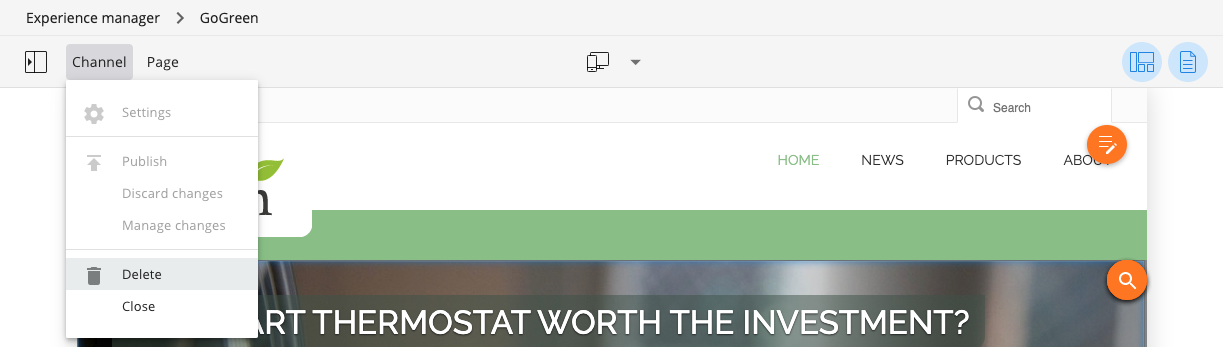
-
Click
Delete. A confirmation dialog appears.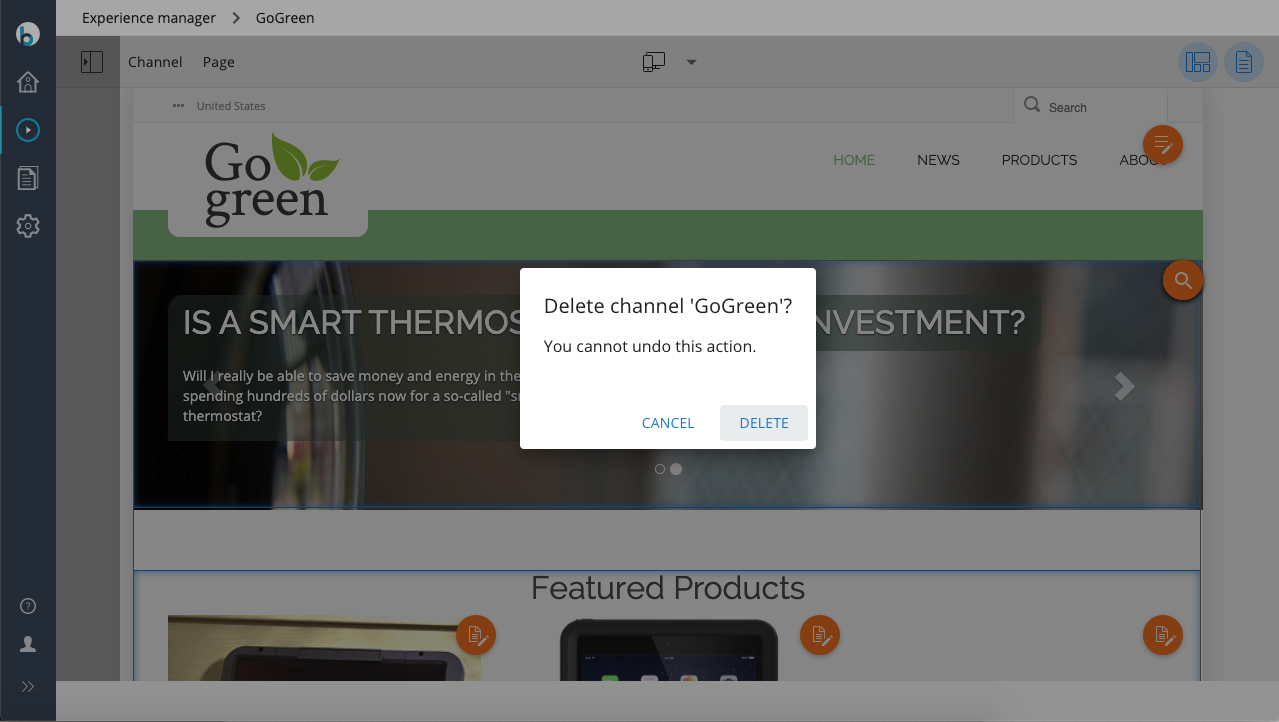
-
Confirm the deletion in the dialog.
After you confirm, Experience Manager deletes the channel and returns you to the Channels overview. The deleted channel no longer appears in the list.
Note: Deleting a channel does not remove any content or experience pages associated with the channel.
Important: Channel deletion is permanent and cannot be reversed.