Add Internationalization (i18n) to Document Types
Overview
Bloomreach Content supports multiple user interface languages. You can provide translations for document type names, field captions, and field hints so that users see these elements in their preferred language. Manage these translations in the Bloomreach Content Console.
When to Use
Add internationalization to document types when you want editors to interact with the CMS in their chosen language, including localized document type names and field labels.
Prerequisites
- Access to the Bloomreach Content Console.
- Auto-export enabled in your project.
Implementation Steps
To add English (en) and Dutch (nl) translations for the document type myproject:mytype:
- Ensure auto-export is enabled.
- In the console, navigate to
/hippo:configuration/hippo:translations/hippo:types.- This node stores translations for document types.
- Under
hippo:types, add a node namedmyproject:mytypeof typehipposys:resourcebundles. - Inside
myproject:mytype, add two nodes of typehipposys:resourcebundlenamedenandnl. - In each language node (
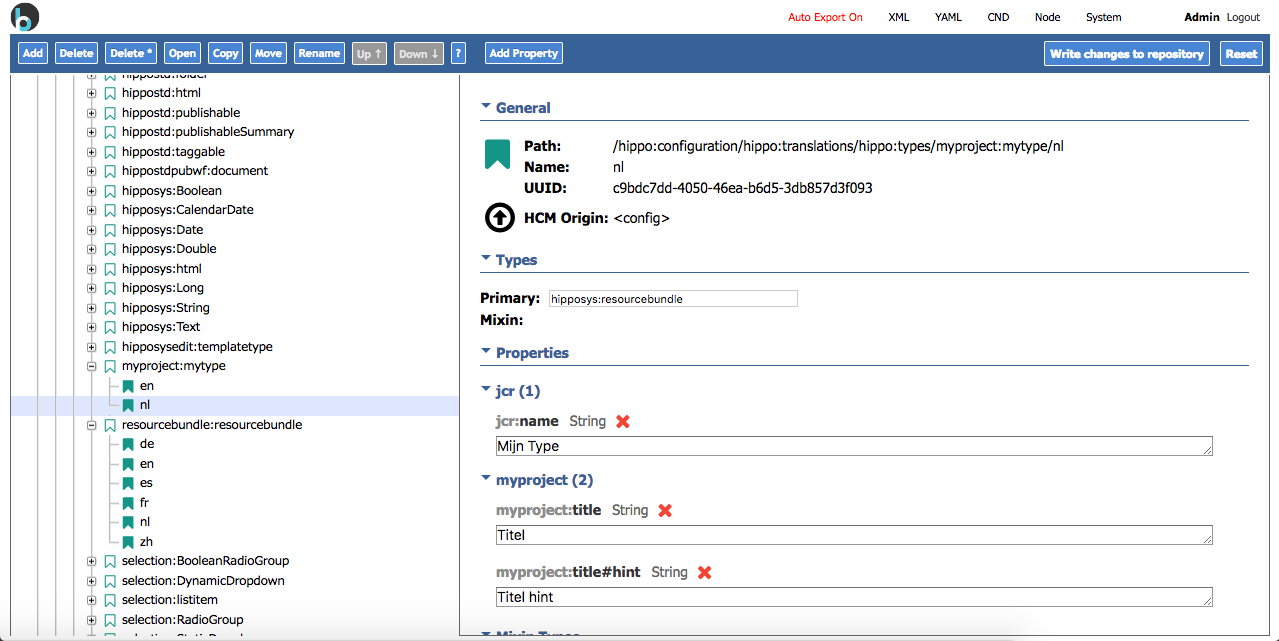
enandnl), add the following properties:jcr:name(String): The localized document type name.myproject:title(String): The localized label for the "title" field.myproject:title#hint(String): The localized hint for the "title" field.
Example Structure
After completing these steps, your console should resemble the following:
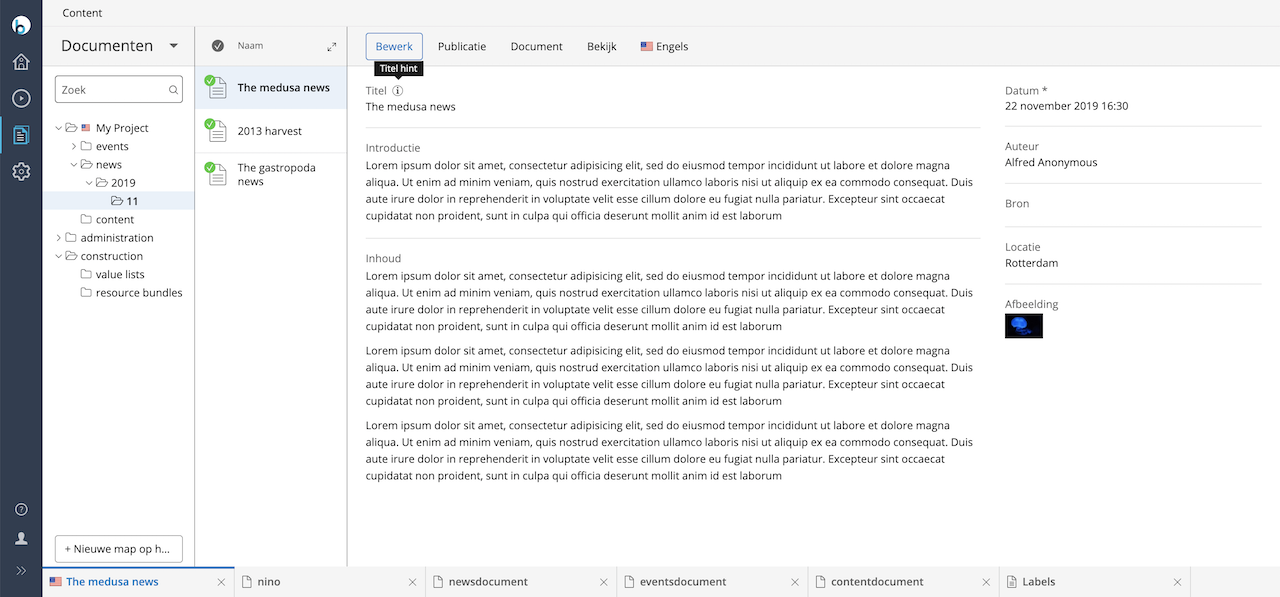
When a user logs in with Dutch selected, the document editor displays the localized labels:
Exported Configuration
With auto-export enabled, the following configuration is generated in repository-data/application/src/main/resources/hcm-config/configuration/translations/types.yaml:
definitions: config: /hippo:configuration/hippo:translations/hippo:types/myproject:mytype: jcr:primaryType: hipposys:resourcebundles /en: jcr:primaryType: hipposys:resourcebundle jcr:name: My Type myproject:title: Title myproject:title#hint: Title hint /nl: jcr:primaryType: hipposys:resourcebundle jcr:name: Mijn Type myproject:title: Titel myproject:title#hint: Titel hint
Verification
- Log in to the CMS with each supported language.
- Open a document of type
myproject:mytype. - Confirm that document type names, field captions, and hints display in the selected language.