Configure API Agent Channel
Info: Bloomreach provides Enterprise support for this feature to Bloomreach Experience customers. The release cycle for this feature may differ from the core product release cycle.
Overview
The API Agent Channel captures personalization variant configurations for a Plain JAX-RS Services mount. To support this, the HST-2 request processing pipeline for the Plain JAX-RS Services mount must resolve the associated API Agent Channel at runtime. This enables the pipeline to read personalization variant configurations for JAX-RS Services.
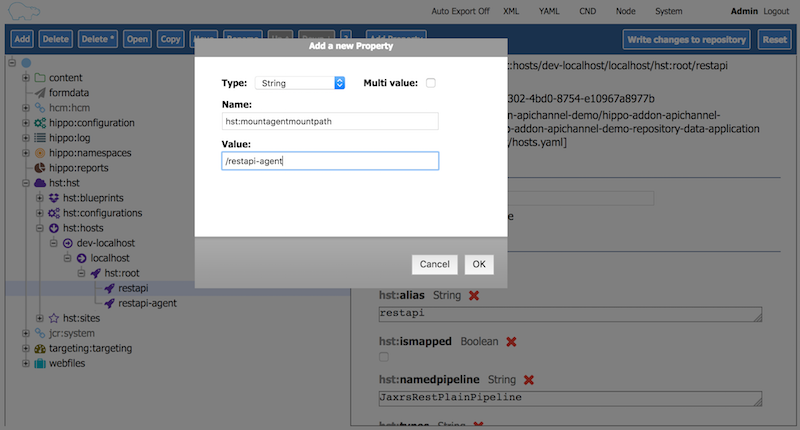
By default, the system infers the associated API Agent Channel for a Plain JAX-RS Services mount by appending "-agent" to the resolved mount path. For example, if the REST API mount path is "/restapi", the system uses "/restapi-agent" as the default path for the API Agent Channel. If you need to use a different mount path, set the optional @hst:mountagentmountpath property on the resolved Plain JAX-RS Services mount configuration.
The API Agent Channel in Experience manager also requires the Plain JAX-RS Services mount path and its Swagger API Documentation URL for certain actions, such as the "Open Swagger UI" button. Configure these settings in the Channel Settings window of the API Agent Channel.
Channel Settings in the API Agent Channel
You can configure API Agent Channel settings using the Channel Settings window.
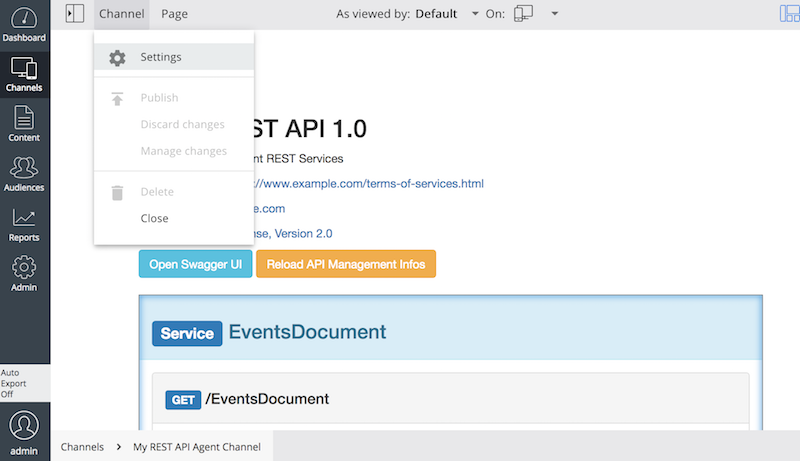
Default values are provided for each setting.
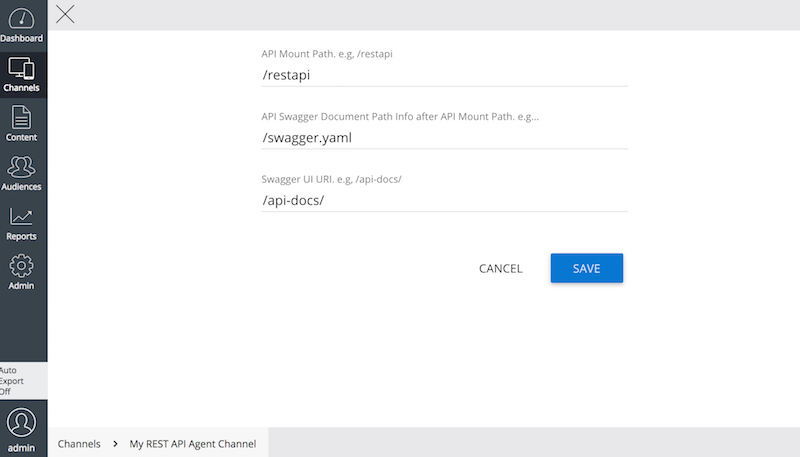
The following table describes each Channel Setting parameter:
| Parameter Name | Description | Default value |
|---|---|---|
| API Mount Path | The Plain JAX-RS Services mount path that this Agent Channel serves. | /restapi |
| API Swagger Document Path | The path to the Swagger documentation, relative to the API Mount Path. For example, if the Swagger documentation URI is /site/restapi/swagger.json (where /site is the context path and /restapi is the mount path), configure this parameter as /swagger.json. | /swagger.json |
| Swagger UI URI | The URI for the Swagger UI web application. This is used to open Swagger UI from the API Agent Channel page. For example, if Swagger UI is installed at the /api-docs context path, set this parameter to /api-docs/. | /api-docs/ |
Configuring the REST API Mount Property
When a request is made to the Plain JAX-RS Services mount, the request processing pipeline must resolve the API Agent Channel at runtime to read personalization variant parameters. By default, the system infers the associated API Agent Channel mount by appending "-agent" to the resolved Plain JAX-RS Services mount path. For example, if the REST API mount is "/restapi", the system uses "/restapi-agent" as the default Agent Channel mount.
If you need to use a different mount path for the API Agent Channel, explicitly set the mount path by adding the optional @hst:mountagentmountpath property to the Plain JAX-RS Services mount configuration.