Add the Lucene Index Export Service to a Project
Info: The Lucene Index Export Service requires a standard or premium Bloomreach Content license. Contact Bloomreach for licensing details.
Info: This feature is available starting from Hippo CMS 12.1.0.
Overview
The Lucene Index Export REST service allows administrators to export a Lucene index directly from a running production instance. This capability is useful when migrating a Bloomreach Content environment and you want to avoid the time and resource cost of reindexing.
By default, backing up a Lucene index requires stopping the application. The Lucene Index Export add-on provides a Repository JAX-RS service that enables exporting the Lucene index while the application is running.
This page explains how to add the Lucene Index Export service to your Bloomreach Content project.
For instructions on using the service, see Export the Lucene Index from a Running Production Environment.
For details on how the service works, see Lucene Export Explained.
Installation Using Essentials
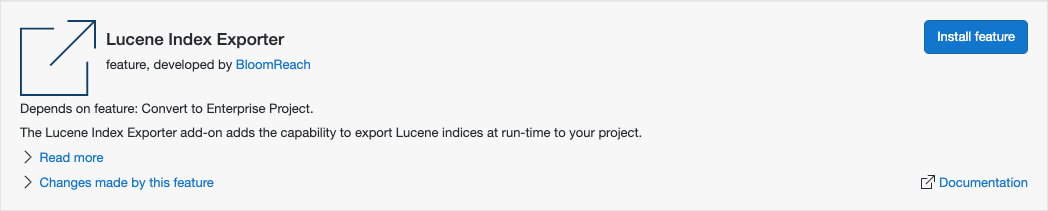
Starting with brXM v12.1, you can install the Lucene Index Export add-on through Essentials (v4.1).
To install:
- When creating a new project, select "Make use of Enterprise features."
- In Essentials, go to the Library tab.
- Locate the Lucene Index Exporter feature.
- Click "Install feature."
Essentials will apply the manual installation steps described below. After installation, rebuild and restart your project. Verify the service URL as described in the next section.
Manual Installation
To add the Lucene Index Export service manually:
-
In your enterprise project's
cms-dependencies/pom.xml, add the following dependency:<dependency> <groupId>com.onehippo.cms7</groupId> <artifactId>hippo-addon-lucene-export</artifactId> </dependency> -
Verify the servlet and servlet mapping in
cms/src/main/webapp/WEB-INF/web.xml. Projects created from a recent archetype include these by default. If missing, add:<servlet> <servlet-name>RepositoryJaxrsServlet</servlet-name> <servlet-class>org.onehippo.repository.jaxrs.RepositoryJaxrsServlet</servlet-class> <load-on-startup>6</load-on-startup> </servlet><servlet-mapping> <servlet-name>RepositoryJaxrsServlet</servlet-name> <url-pattern>/ws/*</url-pattern> </servlet-mapping>
Service URL Verification
After you create and deploy a distribution with the Lucene Index Export dependency, the service is available at:
https://{hostname}/cms/ws/indexexport
Replace {hostname} with your environment's host name.
Access Control
The Lucene Index Export endpoint is protected with basic authentication by default. The add-on introduces a new role (indexexport) and a new domain (indexexport). This domain grants the index:export privilege on the add-on's module configuration node to users with the xm.system.admin user role. By default, members of the _admin_ group and the _admin_ user have this role.
You can modify the domain configuration to fit your project's requirements.
Authentication is enabled by default. If your environment is already secured and you want to disable authentication for this endpoint, set the index.export.secure.disable environment variable to true.
Hint: For usage instructions, see Export the Lucene Index from a Running Production Environment.