BloomReach Pixel Component
Info: This feature in Bloomreach Content requires a standard or premium license. Contact Bloomreach for details.
Overview
Bloomreach Commerce Accelerator applications include the Universal Pixel Integration Addon by default. This module logs visitor activity to support optimization and personalization. Commerce Accelerator uses the BloomReach Commerce Pixel Schema rather than the BloomReach Universal Pixel Schema.
brXM v12 has some limitations regarding pixel variable management. Commerce Accelerator provides solutions to address these limitations.
Commerce Pixel Schema and Universal Pixel Schema
The Universal Pixel Configuration page explains that the Universal Pixel editor displays only predefined BloomReach Universal Pixel variables, such as "Page type" and "Page labels." By default, the JSON Schema is set to the BloomReach Universal Pixel Schema resource (classpath:/com/onehippo/cms7/addon/unipixel/universal-pixel-schema-0.1.json) in the /hippo:configuration/hippo:modules/universal-pixel/hippo:moduleconfig/@default.vars.source property.
Many existing applications that use Bloomreach Discovery still rely on the BloomReach Commerce Pixel Schema. This schema will be upgraded to the BloomReach Universal Pixel Schema in the future. The Universal Pixel Integration Addon allows you to switch to the BloomReach Commerce Pixel Schema by updating the /hippo:configuration/hippo:modules/universal-pixel/hippo:moduleconfig/@default.vars.source property.
The following table lists the available values for the JSON Schema resource property:
| Pixel Schema Type | JSON Schema Resource |
|---|---|
| BloomReach Universal Pixel Schema | classpath:/com/onehippo/cms7/addon/unipixel/universal-pixel-schema-0.1.json |
| BloomReach Commerce Pixel Schema | classpath:/com/onehippo/cms7/addon/unipixel/commerce-pixel-schema-0.1.json |
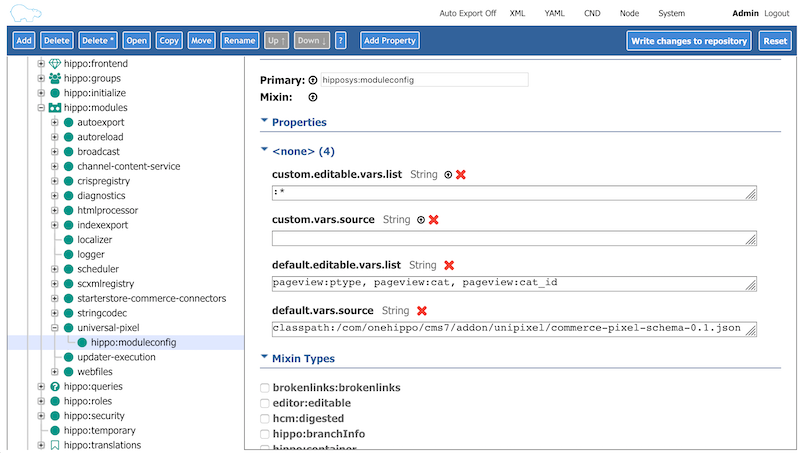
By default, Commerce Accelerator is configured to use the BloomReach Commerce Pixel Schema:
Limitations and Solutions in brXM v12
Limitation: Pixel Variables Editor UI
The Universal Pixel Integration Addon provides a Pixel Variables Editor UI. This interface allows business users to edit pixel variables at three levels:
- Channel default settings
- Landing pages (pages created through Page Management)
- Documents for content-driven pages
The Pixel Variables Editor UI depends on OpenUI Extensions, which are available starting with brXM v13. In v12, you cannot edit pixel variables for Landing pages using the default UI.
Solution: Pixel Setting Component for Landing Pages
To enable editing pixel variables for Landing pages in v12, Commerce Accelerator provides a built-in HstComponent:
- Java class:
com.bloomreach.commercedxp.starterstore.components.LandingPagePixelSettingComponent - Template:
classpath:/com/bloomreach/commercedxp/starterstore/components/LandingPagePixelSettingComponent.ftl
When a Landing page is displayed in preview mode in Experience manager, the LandingPagePixelSettingComponent shows a button in the top right corner to open the Pixel Variables Editor:
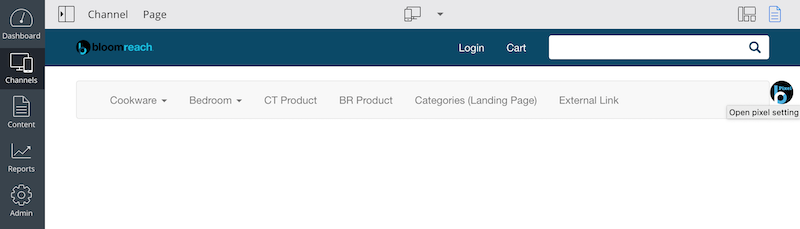
Selecting this button opens the Pixel Variables Editor dialog:
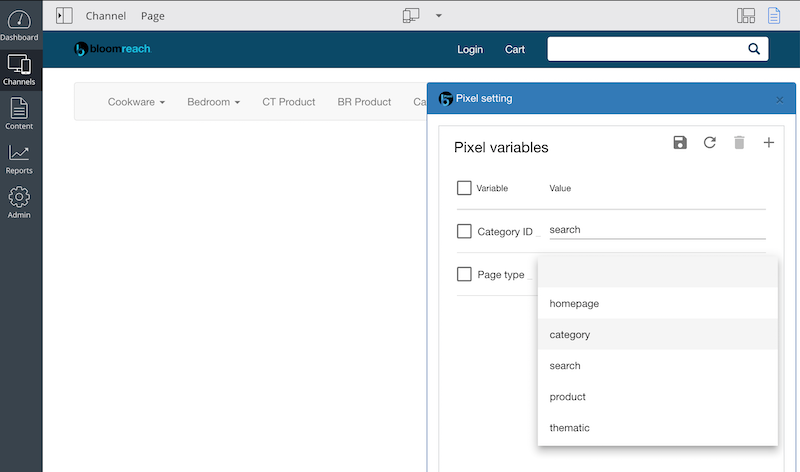
This approach enables business users to set pixel variables for Landing pages in brXM v12.
Because the Universal Pixel Integration Addon provides a default Pixel Variables Editor using OpenUI Extensions, the LandingPagePixelSettingComponent will be deprecated or removed in brXM v13.
Additional Customization Support
You can apply all customization techniques described in Customize Universal Pixel Integration Addon in Commerce Accelerator applications, including those running on brXM v12. For example, you can set pixel variables from CMS documents or external sources in your custom pixel variable scriptlet head contribution units.