Prepare the Project
Info: This tutorial covers Bloomreach Content versions 14, 15, and 16. If you use an earlier version, some steps may differ.
This section describes how to create a Bloomreach Content project, add the Relevance Module and News feature, release the project, and package it as a distribution file.
Create the Example Project
Complete the following steps to set up the project:
-
Create a project using the Bloomreach Content Maven archetype.
-
Open the Essentials application at:
-
On the opening screen, under
Project Settings, selectMake use of Enterprise features: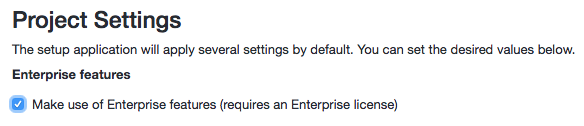
-
From the library, add these features:
- BloomReach Cloud (for version 13 and newer; for version 12, add Experience Project and Lucene Index Exporter instead)
- News
-
Rebuild and restart the project.
-
Open the site at:
-
Select the "news" menu item to confirm the News feature is active.
Create a Distribution
To deploy the project to Bloomreach Cloud, package it as a distribution. From your project's root directory, run:
mvn clean verify mvn -P dist
This process creates a distribution file in the target directory:
myproject/target/myproject-0.1.0-SNAPSHOT-distribution.tar.gz
In the next step, you will upload this file to Bloomreach Cloud and deploy it to an environment.