View a Document in a Channel
The document editor includes a 'View' menu that displays all channels where the current document can be previewed. Select a channel name from this menu to open the document in that channel within the Experience manager.
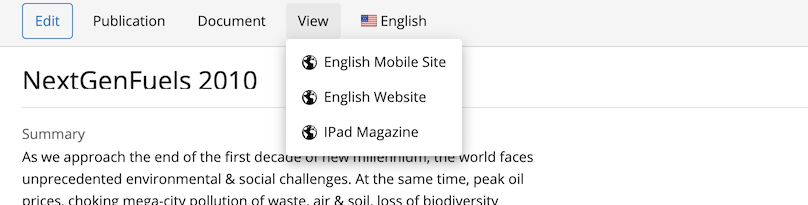
View Menu
The 'View' menu is provided by the channel actions plugin. The plugin configuration is located at:
/hippo:configuration/hippo:workflows/default/handle/frontend:renderer/channelactions
The channel actions plugin supports the following property:
plugin.class
Specifies the CMS plugin class that renders the menu.
Default value:com.bloomreach.xm.experiencemanager.workflow.ChannelActionsPlugin(Bloomreach Content 17.0 and later)org.onehippo.cms7.channelmanager.plugins.channelactions.ChannelActionsPlugin(prior to version 17.0)
Remove the 'View' Menu for Channels
To remove the 'View' menu for channels, delete the plugin configuration at:
/hippo:configuration/hippo:workflows/default/handle/frontend:renderer/channelactions