Catalog Configuration
The catalog configuration defines the components available in the Component Toolbar. Editors can drag and drop these components into containers on a page using the Experience manager and its Channel Editor.
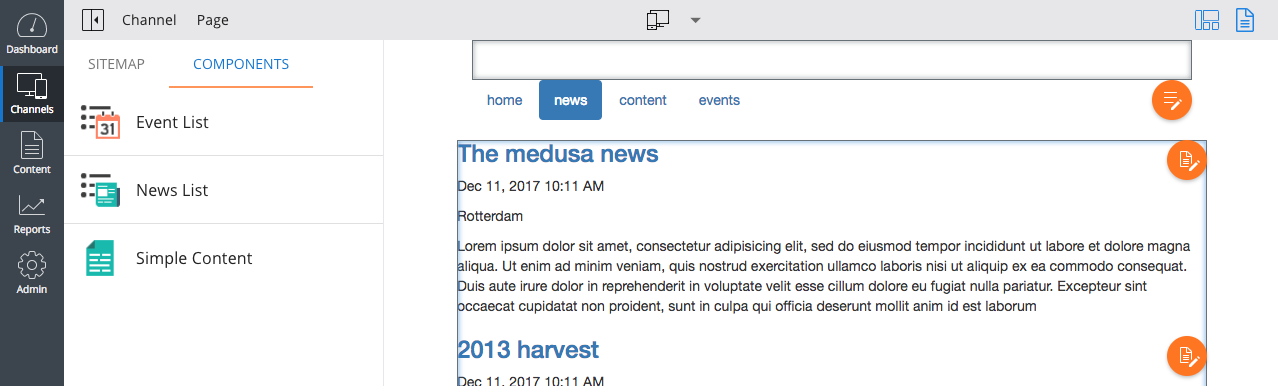
Catalog Configuration Locations
The configuration model introduction describes the hst:catalog node, typically located at:
/hst:hst
  /hst:configurations
    /example
      /hst:catalog
If the example configuration inherits from other configurations, it also inherits catalog items from those configurations. Catalog items defined under the default inherited configuration (hst:default) are always available. You can also define a catalog node directly under hst:configurations, making its items available globally. However, this approach is uncommon and functionally similar to placing items under hst:default.
The following configuration demonstrates these inheritance options:
/hst:hst: /hst:configurations: /example: hst:inheritsfrom: ../common /hst:catalog: jcr:primaryType: hst:catalog /common: /hst:catalog: jcr:primaryType: hst:catalog /hst:default: /hst:catalog: jcr:primaryType: hst:catalog /hst:catalog: jcr:primaryType: hst:catalog
With this setup, the example configuration can access catalog items from:
/hst:hst/hst:configurations/example/hst:catalog/hst:hst/hst:configurations/common/hst:catalog/hst:hst/hst:configurations/hst:default/hst:catalog/hst:hst/hst:configurations/hst:catalog
Catalog Node Structure
Under an hst:catalog node, add child nodes of type hst:containeritempackage. Each hst:containeritempackage contains the components shown in the Component Toolbar, which are nodes of type hst:containeritemcomponent. For example, the following configuration makes two components—banner and search—available in the toolbar:
/hst:hst: /hst:configurations: /example: hst:inheritsfrom: ../common /hst:catalog: jcr:primaryType: hst:catalog /example-catalog-package: jcr:primaryType: hst:containeritempackage /banner: jcr:primaryType: hst:containeritemcomponent /hst:default: /hst:catalog: jcr:primaryType: hst:catalog /onehippo-essentials-package: jcr:primaryType: hst:containeritempackage /search: jcr:primaryType: hst:containeritemcomponent
Dynamic Component Configuration
For components created with the Headless Dynamic Components feature, the catalog also stores configuration for component parameters. In these cases, use the hst:componentdefinition node type instead of hst:containeritemcomponent. For details on configuring parameters for dynamic components, see Define Configuration Parameters for Dynamic Components.