Make a Channel's Default Resource Bundle IDs Configurable in the Experience Manager
Info: Available since Hippo CMS 12.1.0
Overview
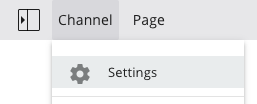
You can allow users to manage a channel's resource bundle IDs directly from the Channel Settings dialog in the Experience manager.
Background
The delivery tier in Hippo CMS supports localization using resource bundles. You can specify default resource bundle IDs at the virtual host group, virtual host, or mount level in the delivery tier configuration. Developers can also expose these IDs as a channel parameter, allowing end users to update them in the Experience manager through the channel's Settings dialog. You can annotate this channel parameter with UI directives as needed.
This page describes how to make the default resource bundle IDs configurable as a channel parameter.
Implementation
Define Default Resource Bundle IDs as a Channel Parameter
-
Create a
ChannelInfointerface as described in Define a Channel's Configuration Parameters. -
Add a
getDefaultResourceBundleIdsmethod to the interface. Annotate it with@Parameter, using the namehst:defaultresourcebundleid:
package org.example.channels; import org.hippoecm.hst.configuration.channel.ChannelInfo; import org.hippoecm.hst.core.parameters.FieldGroup; import org.hippoecm.hst.core.parameters.FieldGroupList; import org.hippoecm.hst.core.parameters.Parameter; @FieldGroupList({ @FieldGroup( titleKey = "fields.channel", value = { "hst:defaultresourcebundleid" } ) }) public interface WebsiteInfo extends ChannelInfo { @Parameter( name = "hst:defaultresourcebundleid", required = false, defaultValue="org.example.labels.Messages") String getDefaultResourceBundleIds(); }
- Add localized UI labels for the interface at
/hippo:configuration/hippo:translations/hippo:hst/channelparameters:
definitions: config: /hippo:configuration/hippo:translations/hippo:hst/channelparameters: jcr:primaryType: hipposys:resourcebundles /org: jcr:primaryType: hipposys:resourcebundles /example: jcr:primaryType: hipposys:resourcebundles /channels: jcr:primaryType: hipposys:resourcebundles /WebsiteInfo: jcr:primaryType: hipposys:resourcebundles /en: jcr:primaryType: hipposys:resourcebundle fields.channel: Channel Settings hst:defaultresourcebundleid: Default Resource Bundle IDs
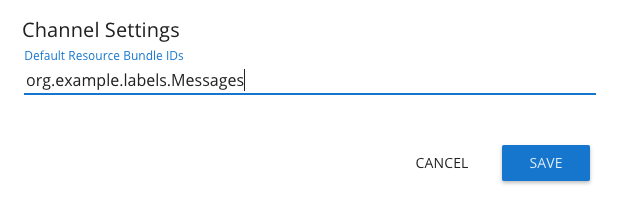
After completing these steps, the default resource bundle ID can be configured in the channel's Settings dialog. To specify multiple resource bundle IDs, separate them with commas.