Technical Design
This page describes the technical design aspects of the Content REST API, including:
- Access control and CORS
- Configuration options
- Integration with projects not using Essentials
- API versioning
- Interaction with manual resources
- XML output support
Access Control and CORS
By default, the Content REST API exposes all content under the project's content folder to any client. To restrict access:
- Configure a different content root for the API by updating the site or channel configuration.
- Adjust CORS settings as needed. The default configuration allows requests from any origin. See the configuration section below for details.
The Content REST API does not provide built-in authentication or authorization. If your project requires authentication or authorization for API resources, contact Bloomreach Support for guidance.
Configuration Options
The Content REST API exposes two primary configuration options for projects:
restApiCorsFilter: Configure a custom CORS filter.maxSearchResultItems: Set the maximum number of items returned per page. The default value is 100. If a request specifies a higher_maxquery parameter, the API caps the result to this maximum. Increase this value with caution to avoid issues with the BundleCache.
To override these beans, create the following file:
<yourproject>/site/components/src/main/resources/META-INF/hst-assembly/overrides/addon/org/hippoecm/hst/restapi/restapi-overrides.xml
Example configuration:
<?xml version="1.0" encoding="UTF-8"?> <beans xmlns="http://www.springframework.org/schema/beans" xmlns:xsi="http://www.w3.org/2001/XMLSchema-instance" xsi:schemaLocation="http://www.springframework.org/schema/beans http://www.springframework.org/schema/beans/spring-beans-4.1.xsd"> <bean id="maxSearchResultItems" class="java.lang.Integer"> <constructor-arg value="50" /> </bean> </beans>
Other Spring bean configurations may change in future releases. If you need to override additional Spring wiring, contact Bloomreach Support.
Integration with Projects Not Using Essentials
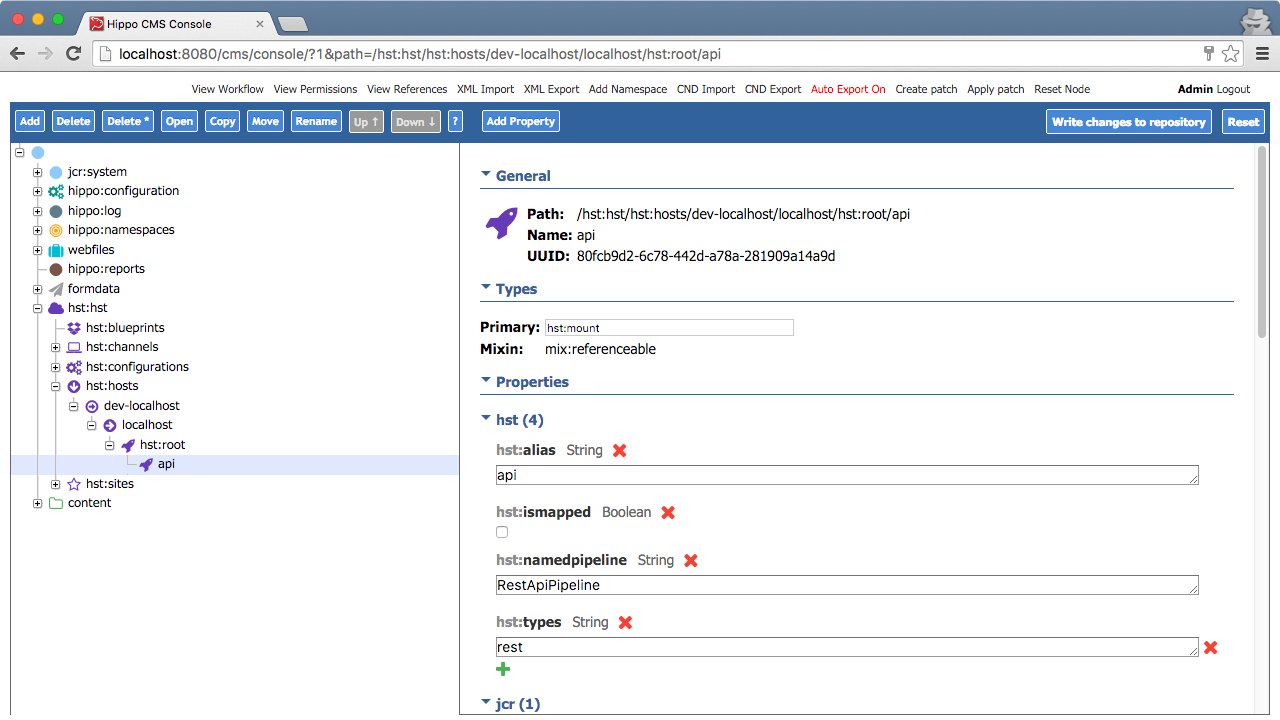
You can add Content REST API resources to projects that do not use Essentials. The Content REST API is implemented as an HST Addon Module. To add the API, configure a new mount in your project's HST configuration.
Example HST host API mount configuration:
API Versioning
The Content REST API does not provide automatic API versioning. To implement versioning, configure the HST mount point to include a version identifier (for example, /v1/) in the API URL.
Interaction with Manual Resources
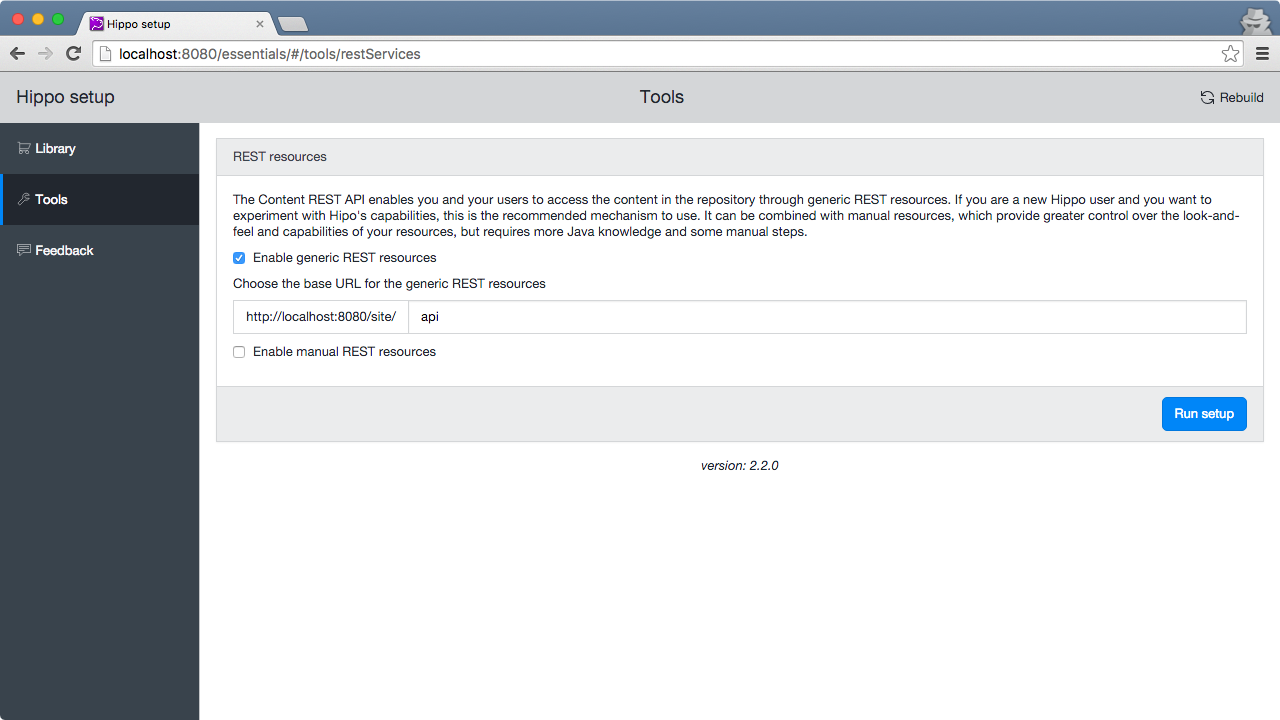
You can use Content REST API resources alongside other JAX-RS resources, including those generated by the Essentials REST setup tool. The "REST Services setup" tool supports both approaches.
By default, the Content REST API (generic REST resources) uses a different pipeline than manually defined resources:
- The Content REST API uses the
RestApiPipeline. - Manual resources use the
JaxrsRestPlainPipelinefor backward compatibility.
Key differences between the pipelines:
- CORS headers:
RestApiPipelinesets CORS headers.JaxrsRestPlainPipelinedoes not, but both pipelines allow custom configuration. - Cache control:
RestApiPipelinedoes not set cache control headers, allowing proxies to manage caching explicitly.JaxrsRestPlainPipelinesets "do-not-cache" headers using thenoCacheResponseHeadersValve.
Example REST setup configuration:
XML Output Support
The Content REST API currently supports only JSON output. To provide XML output, implement manual JAX-RS resources.