Configure the Console for Different Environments
Configure the Console application to provide a clear visual indicator of the current environment (such as test, acceptance, or production). This helps users distinguish between environments and reduces the risk of making changes in the wrong environment when multiple consoles are open.
You can customize the page title, favicon, and menu bar style to differentiate environments.
Adjust the Page Title
Set the following properties on /hippo:configuration/hippo:frontend/console/console/root to customize the page title:
page.title(String): Sets a custom title instead of the default "Bloomreach Experience Manager console".page.title.showservername(Boolean): Appends theServerNamefrom theHttpServletRequestto the title, separated by the value ofpage.title.separator.page.title.separator(String): Sets a custom separator. The default is@.
Adjust the Menu Bar Color
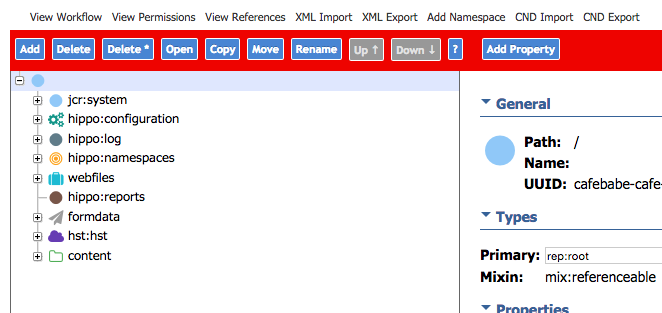
To change the menu bar color based on the environment, set these properties on /hippo:configuration/hippo:frontend/console/console/top:
bar.styles(String, multiple values): CSS style definitions for the menu bar.bar.style.urlparts(String, multiple values): URL fragments that identify each environment.
Both properties must have the same number of values. The application compares each value in bar.style.urlparts to the current request URL. The first matching fragment determines which style from bar.styles is applied to the menu bar. For example, you can use background: orange; to set the bar color to orange.
If your environments are hosted at test.myapp.com, acct.myapp.com, and www.myapp.com/cms, add three corresponding values to bar.style.urlparts. Use distinctive URL fragments to ensure each environment is clearly identified.
Adjust the Favicon
Set the favicon.path property on /hippo:configuration/hippo:frontend/console/console/root to specify the favicon:
Possible values include:
console-red.png(default)console-green.pngconsole-yellow.pngconsole-blue.pngconsole-orange.pngconsole-purple.png
To use a custom icon, add your icon file to your CMS module at src/main/resources/org/hippoecm/frontend/plugins/console. Set favicon.path to the filename of your custom icon (for example, my-console-fav.png).